Dead Sea Scrolls go online

Read something quite exciting on the BBC news today,  its rare they say anything positive about this part of the world,

Israel’s antiquities authority and Google.co.il are putting the Dead Sea Scrolls online.

http://www.bbc.co.uk/news/technology-11594674

The text in Hebrew, Greek and Aramaic.   I am guessing Google will include their excellent automatic translation tools in as well.

You can also see the Dead Sea Scrolls museum in Qumran by the Dead Sea.

How to fix a laptop with overheating issues, like this Dell Inspiron 1150

IT repair stuff.   Skip to next articles if you just want to read about my visits to bible locations.

One of my colleagues asked me to look at old (about 2004) Dell Inspiron laptop, it needs to have the files moved over to her new Win7 based HP Pavillion laptop.   The Dell is being retired as it has some problems freezing upon booting up.    I suspect this is an overheating issue, so I decided to pull it to bits and clean and repair it.

This particular laptop like a lot of Dells is one of the easiest laptops to take apart and work upon.   Rather in the common tradition of throw something away I wanted to see if I can make it usable.   To get this machine apart it just needed a plastic strip and keyboard removed.   To do my housemate’s Toshiba Satellite and my old Compaq to fix clogged fan/overheating issues required the whole machine to be completely dismantled, ie: remove screen hinges and separate both halves of the base, which is fiddly and needs about three dozen screws removed.

Overheating issues are a common issue with laptops, Toshibas often get dust stuck in the fans causing the bottom to get very hot, causing a fault or shortening the life of the motherboard and processor chip.  HP were also plagued with problems with their Pavillion line.   Here I will show you the techniques I used to fix this Dell:-

Brief legal spiel: Warning, do this at your own risk. Additional, before taking computer apart, disconnect all cables and remove battery.  Work somewhere clear and put the screws in such a way where they wont get lost or get put back in the wrong places.  But hey, if you computer is too expensive to get done by a shop and otherwise useless, and you have not fixed a laptop before, you might as well try this for the first time. 🙂

You need:  Small (flat and philips) screwdriver set, patience, spray canned air, small tube of Arctic silver thermal grease.

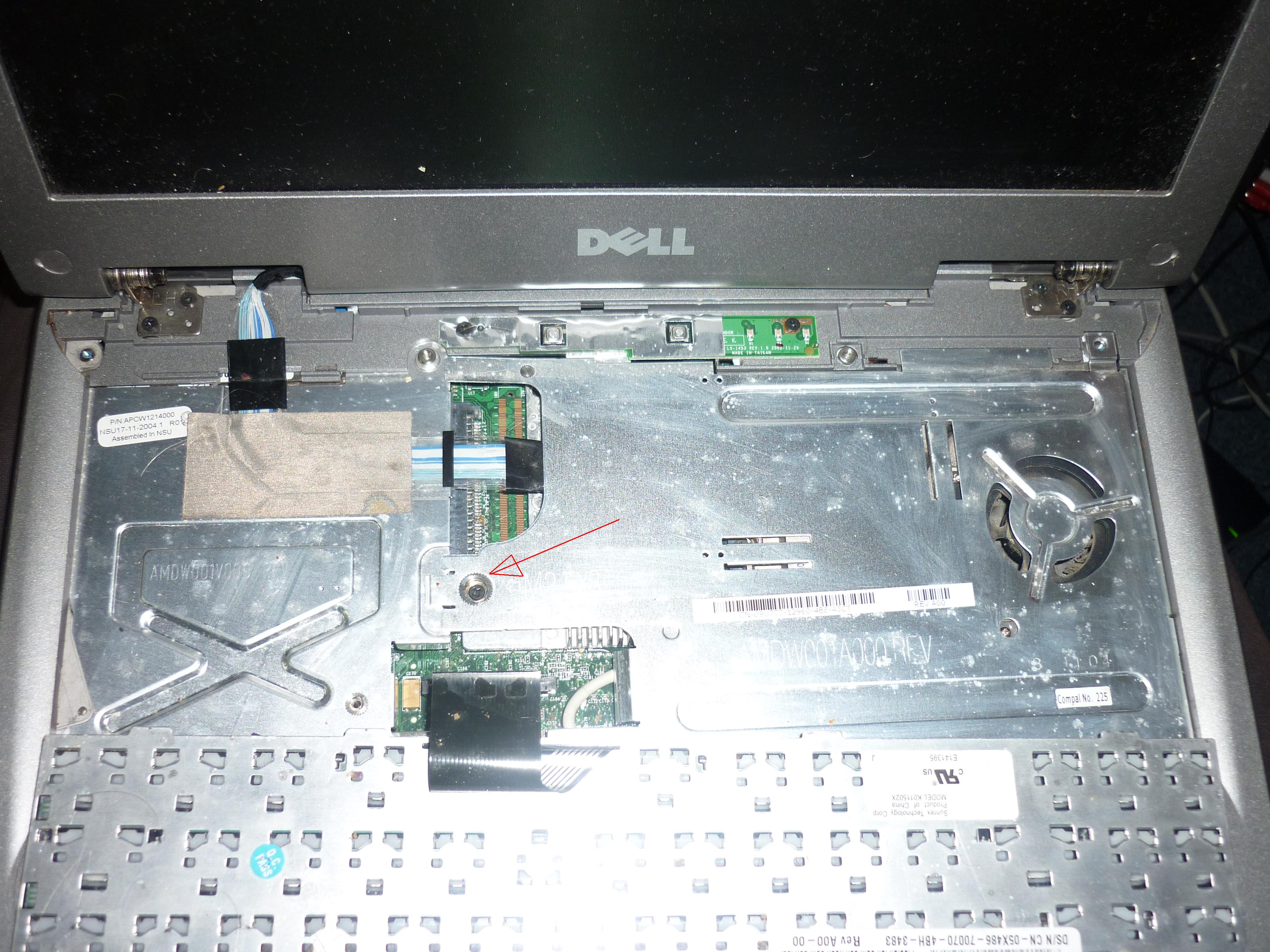
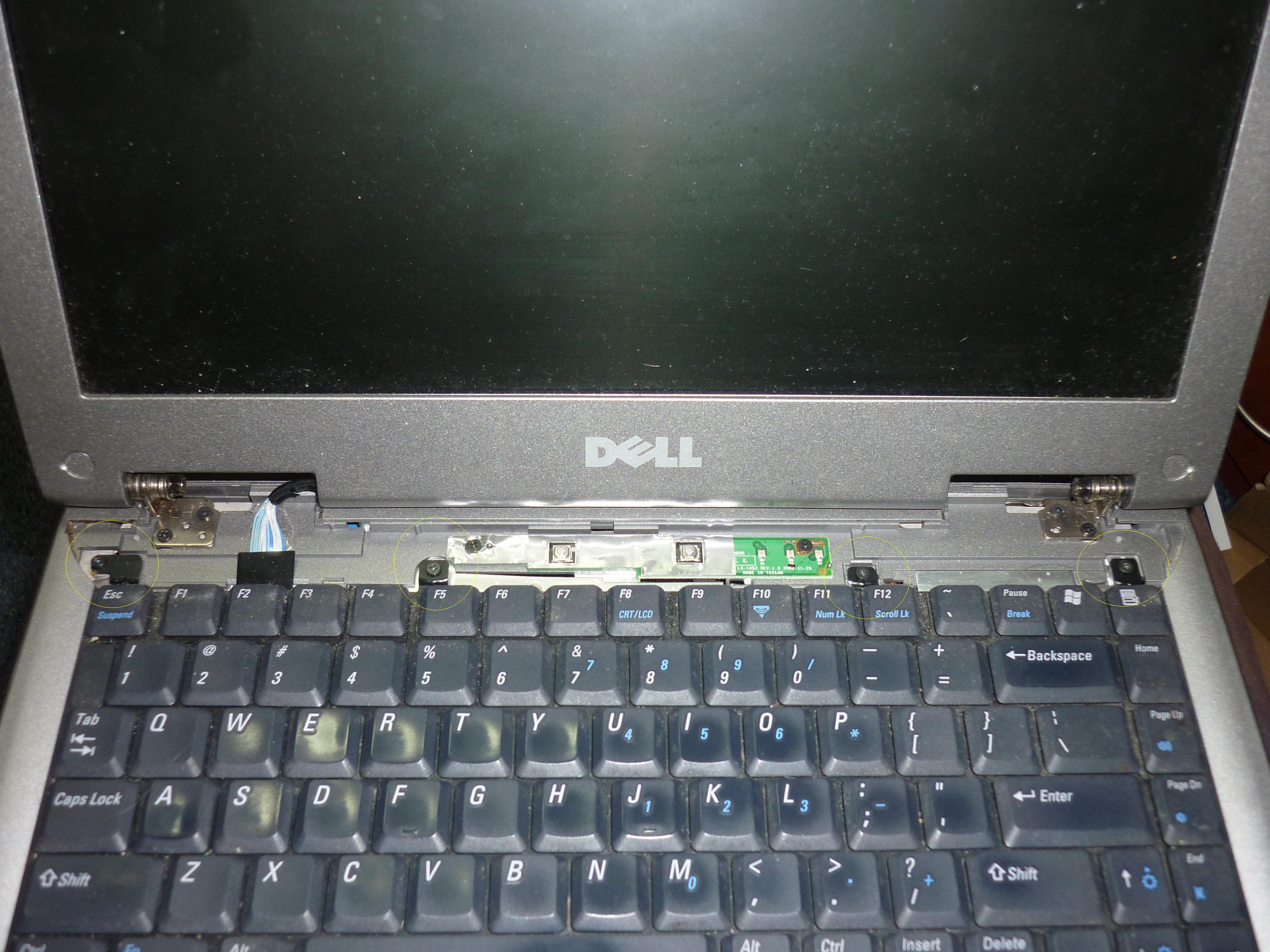
Almost all Dells can be dismantled by taking out the plastic strip above the keyboard.  Left: Gently use a screwdriver to prise the small slot to the right of the plastic strip, one you lift it up, you might need to also prise a small gap above F12 key, then just jiggle it a bit around the screen hinges and the panel will gently come off.   Right: remove the four screws with the rings I have shown.

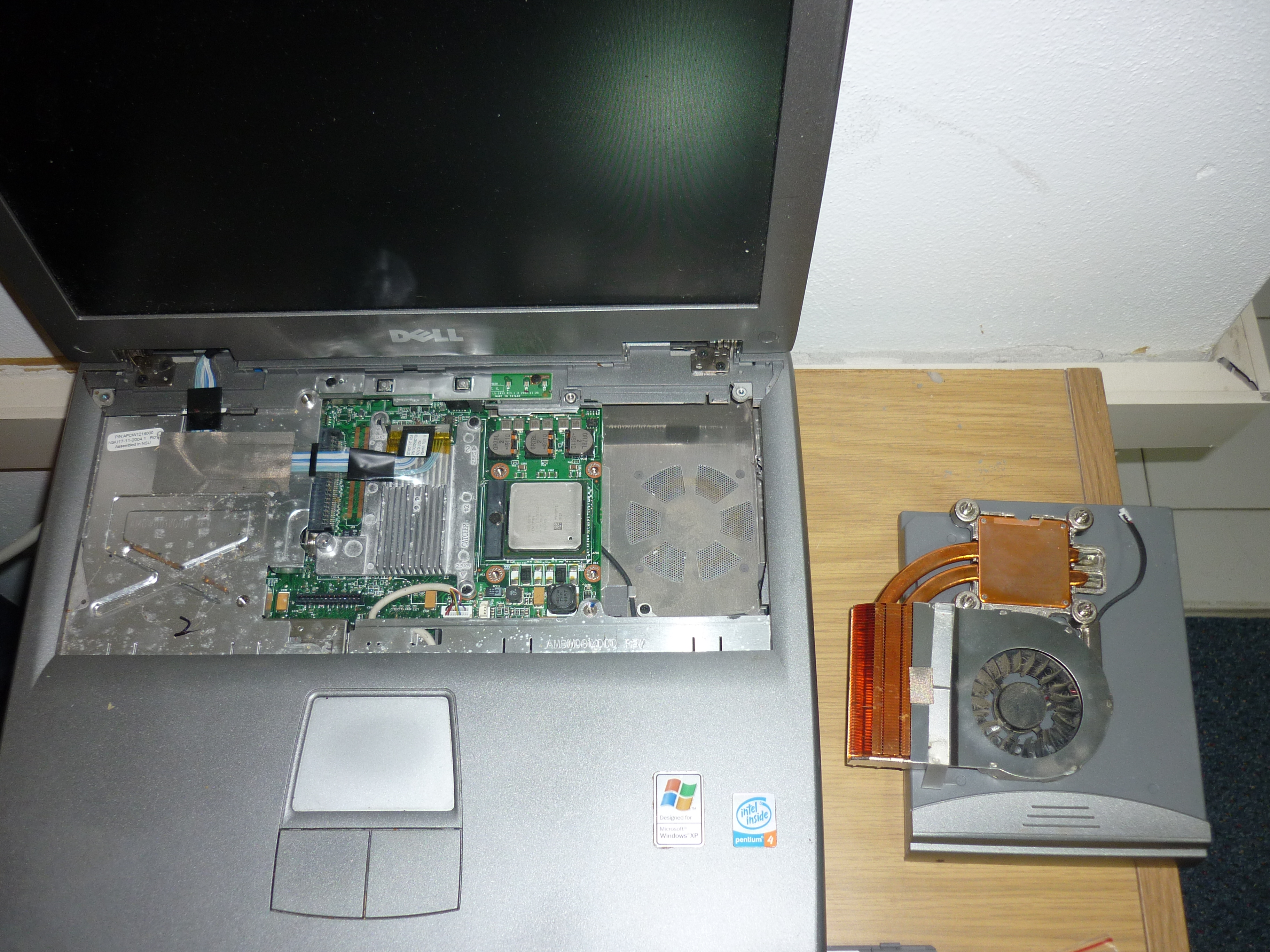
Left: I have flipped the keyboard over, detach the keyboard cable, it just needs a gentle wiggle to detatch.  Then, remove the screw marked and this metal panel can be lifted out. Right: there are four screws that hold the heatsink and fan assembly on.   These screws have numbers on as they should be removed and refitted in that sequence, as to avoid any weight of the heatsink putting too much pressure on one corner of the CPU chip.

Left: I have cleaned off the old dried up grease with a some kitchen roll and a small bottle of alcohol (CD player cleaning fluid or nail varnish remover) from the surface of the processor chip and the copper surface of the heatsink, so its nice and shiny.  The heatsink is sitting upside down ontop of the battery. Once the grease dries up, it loses its ability to properly dissipate heat from the processor chip. 

Right: I have put a layer of new thermal grease on the processor, I use this stuff called Artic Silver 5, which is one of the best thermal grease on the market for its thermal conductivity.  You need to adequately cover the surface of the chip, not too much or too little.  The empty space where the heatsink and fan goes can be sprayed with canned air to remove dust and dirt.

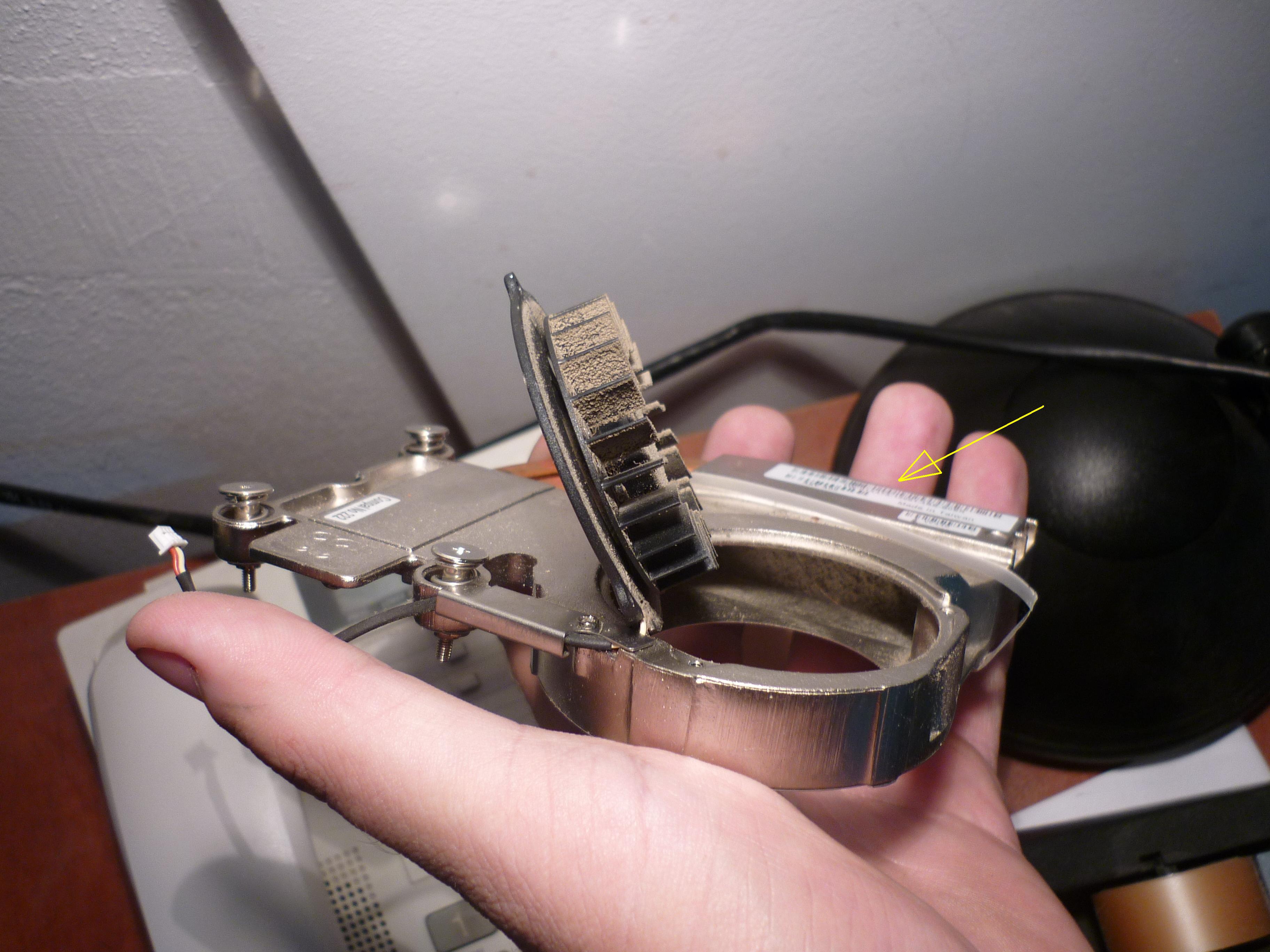
This the fan.   Another four screws were removed to get the motor out.   Towards my fingers you can see lots of fluff has collected inside fouling the vents of the copper heatsink stopping air from escaping.   Zoom in and you can see where the yellow arrow is and spray some canned air to clean all of this out.   Spray more air to get all the dust from the fan blades.

Reassembly is the reverse of disassembly.   Make sure the CPU fan is mounted on nice and tight but evenly.  When refitting the plastic strip, align the left hand side first, and work your fingers in snapping back in place towards the right hand side a bit at a time.   One thing I have not done is clean and replace the grease under the other heatsink where the graphics processor chip is.   This is worth doing at the same time though, as they can give heat problems, especially on HP laptops.

Enjoy your cooler running computer!

(shakes jam jar)   I am looking for funds to raise money for flights and insurance for my return to Israel in January, if you find this useful, or would like some advice, please consider donating me something, so I can continue to service equipment and resources for a Christian charity in the middle east.  If you would like your computer professionally repaired in UK or Israel please get in touch, I can do screen replacments or something minor like missing keys and software problems, I would be happy to do work in exchange for donations.   Thankyou.

Location based services online and your privacy

Privacy eh?  Its spoken about in the media how we should be careful what we share online, but it seems the general public, whether they are casual or regular dabblers in social media, including those who use IT at work, put their fingers in their ears and just say “La-la la la!”

Something that concerns me is Facebook now have this new feature where you can report where your current location.  This could be quite useful if you find a friend is actually only a few blocks away in a pub somewhere.

iPhone users have been doing this sometime now, with strange apps like Foursquare and Gowalla.  The rest of non-mobile web can see their Facebook/Twitter feeds filled up by spam posted with annoying things like “I just bcame mayor of XYZ pizzas & co.”  or “I am in my mansion”   The first one sounds like some kind of board game, with the user with portable device in the outside world, being a counter on a board like monopoly.  Putting links to a google maps of your house and when you are out of your house really isn’t very smart.

Teenagers make up a large proportion in Facebook of course and now I have seen a couple of young people do the same with posting maps of their homes.

Us IT people are quite likely to be targets given that the chances are we own a lot more technology in our homes, already there have been incidences of burglaries, where Facebook was used to scope out someone and when they were not in their house, we are talking not hackers, but any average thug who can use a browser who could have an anonymous Facebook profile, add you and make you his next target.

Long before social networking, about 7 years ago, a friend of mine with is own IT business he runs from home was the victim of a serious armed robbery in which was taken by two masked individuals in his own car, he had a sharp object put against his neck, maybe a knife but might of only been a screwdrivers, but had a lot of IT equipment taken from his house.   They drove him in his own car to a cashpoint and made him take money, and left him out in his own street, gone with car, IT stuff and cash.   I don’t know where they found out his address, but the chances of this kind of thing happening again I fear could be more frequent.

I use my Gmail profile to share pinpoints of locations both the UK and Israel.   You can have several sets of groups, the UK ones I used to share locations of the hospitals buildings I worked in Southampton, these were not available publicly only to some of rest of the team I worked with, this was not their IT dept’s official policy, its just something I used to make working easier especially as I was not familiar with Southampton and it meant finding and driving to sites easier.   The ones I have here in Israel I also keep private, just ocassionally share with friends when they want to come round and need to find my house.

I am all for sharing experiences of where I have been to and hearing from friends trips, but isn’t it time just to get sensible with how much we share?

Need software tools for network diagrams

IT stuff – skip below if this is not your thing.

This last week we got another volunteer in the IT department, its great to get some help, and also pool together ideas on we I can make IT support easier and plan for changes and improvements.

One of the projects for the future is re-do some documentation for our network.

The typical software application to do flow charts and diagrams is Microsoft’s Visio in places I have worked before.

Visio is quite expensive though and has a propriety file format, so all members of a team (and clients) need to have Visio to read the file.

I am thinking of what else I could use to do the job.   As well as cost, and there could be some free tools to do the job, there is the need for extreme simplicity, to making designing and altering diagrams easy and be able to hand over this role to future staff who will eventually replacement me.

I would like to ask my fellow IT peers, in systems admin, and those who do web design and programming, what their views are there on this.

When consulting, do you sketch out things on paper, then on chart modeling software of some kind?   Does complex projects need two or more people to work on a model before coding commences?   Or does a sketch of what’s needed get shown to the client, to check hes happy with the solution that is to be built?

I have largely ditched Microsoft’s Word and Excel in favour of Google Documents, as I like being able to get documentation on any computer, inside my network or indeed anywhere in the world with a web connection.   Plus documentation to rebuilt a server is no good, if it was saved on the one that went down due to a failed disk!!   This is an example of a cloud makes perfect sense here.

A lot of web designers are likely to be using Macs, so an app that’s on Mac and Windows, or a web based app that’s transparently usable on any darn OS/browser is good.

Now, if remember correctly Google now do a vector graphics as part of the Google Documents suite.  Having something cloud based is a huge plus, especially if there becomes a problem with a server that contains documentation.

This isn’t about knocking Microsoft or Adobe, but there is a wealth of free and open source apps, so please feel free to tell us what is the best tool for the job, and responses from fellow IT pros on your preference for ways to do this would be great. 🙂

IT work in Jerusalem in August

This week work has been busy.

Fans.  Cooling fans in PCs in hot countries wear out a lot.  I changed one on my manager’s PC, the blades simply get stuck and won’t turn.  It seems the oil in the motor bearings gets gunged up and simply won’t turn any more.   I must of changed 15+ fans on PCs in the last year, on the CPU, power supply, chassis, video cards and one laptop as well.  Most of the time this is a off the shelf part and cheap and easy to replace bit.  In one case a fan on a motherboard chipset was a weird one and the only place I could get one (£7) was off ebay.  Well it seemed a shame to throw away an otherwise working motherboard, this fan came all the way from China and took 2 weeks to get here.  I swapped over the user with another PC straight away, so when this part arrived the PC was sitting on a bench to be fixed and then could be put back into a service for a new member of staff a month later.   Now the fan on my own office PC has packed in, so I will need to get another.  Normally they start making grinding noises, but this one has just stopped altogether.

I am making plans to virtualise a server used for our finance applications, as it seems quite awkward to manage it, and I have a feeling one of the hard disks in the RAID array is failing, so this will be done as an out of hours job, hopefully if everything goes to plan I only need 30 minutes in the office, the rest I can do by remote software from a coffee shop with laptop and wireless, the real pain with this kind of upgrade is waiting,  a trial run of this type of upgrade took 6 hours to copy files using Norton Ghost from the server to an extra hard disk.   Strip out all the hanging around and the job shouldn’t take more than one hour.

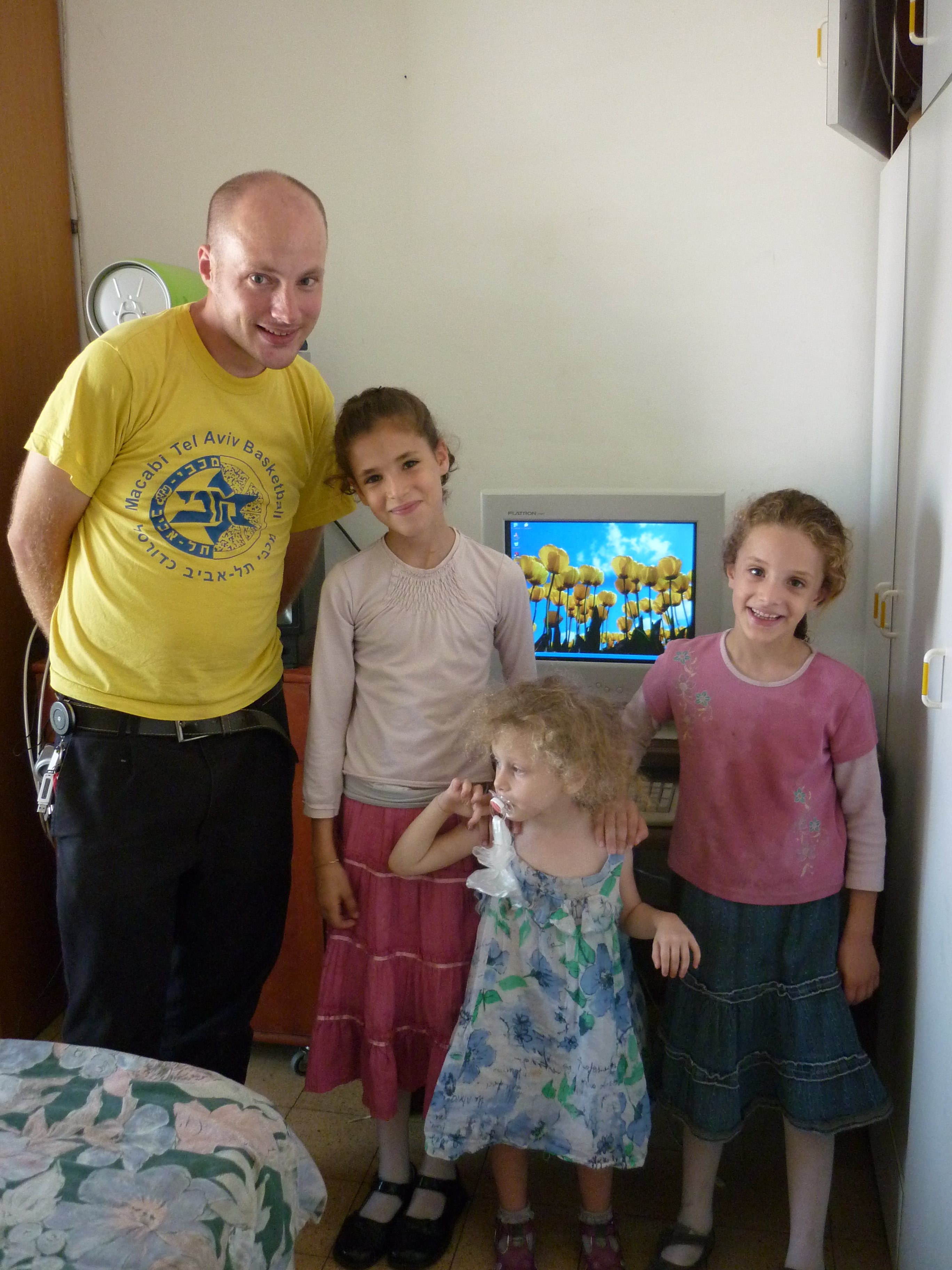
I got to go out and hand over one of the older computers I wrote on not long ago to a local family just a mile or so from our headquarters.

The girls seem to be pleased with their new acquisition.  After this, I got to spend the rest of the afternoon helping our Korean colleague Jey with his deliveries to the poor from the food bank.   Driving to various apartments of needy families with food was interesting as this took us over the north part of Jerusalem through a nice forest and places I have not seen before. Jey walks quite fast between the van and the apartments as he has to do a lot of drops and time is quite tight.

At least 3 of the people we visited were elderly holocaust survivors, a few having some full time carers staying with them who usually of Thai or Filipino origin who I see quite a lot in caring and nursing roles here.   One of the older gents who was 82 and originally from Poland invited us in and offered orange juice and cake and told us jokes and told us stories about he used to sing in his synagogue when he was younger.  This was a nice afternoon out of the office.

In Sepia: Holyland pictures collection part 1

Part 1234 5 6 7

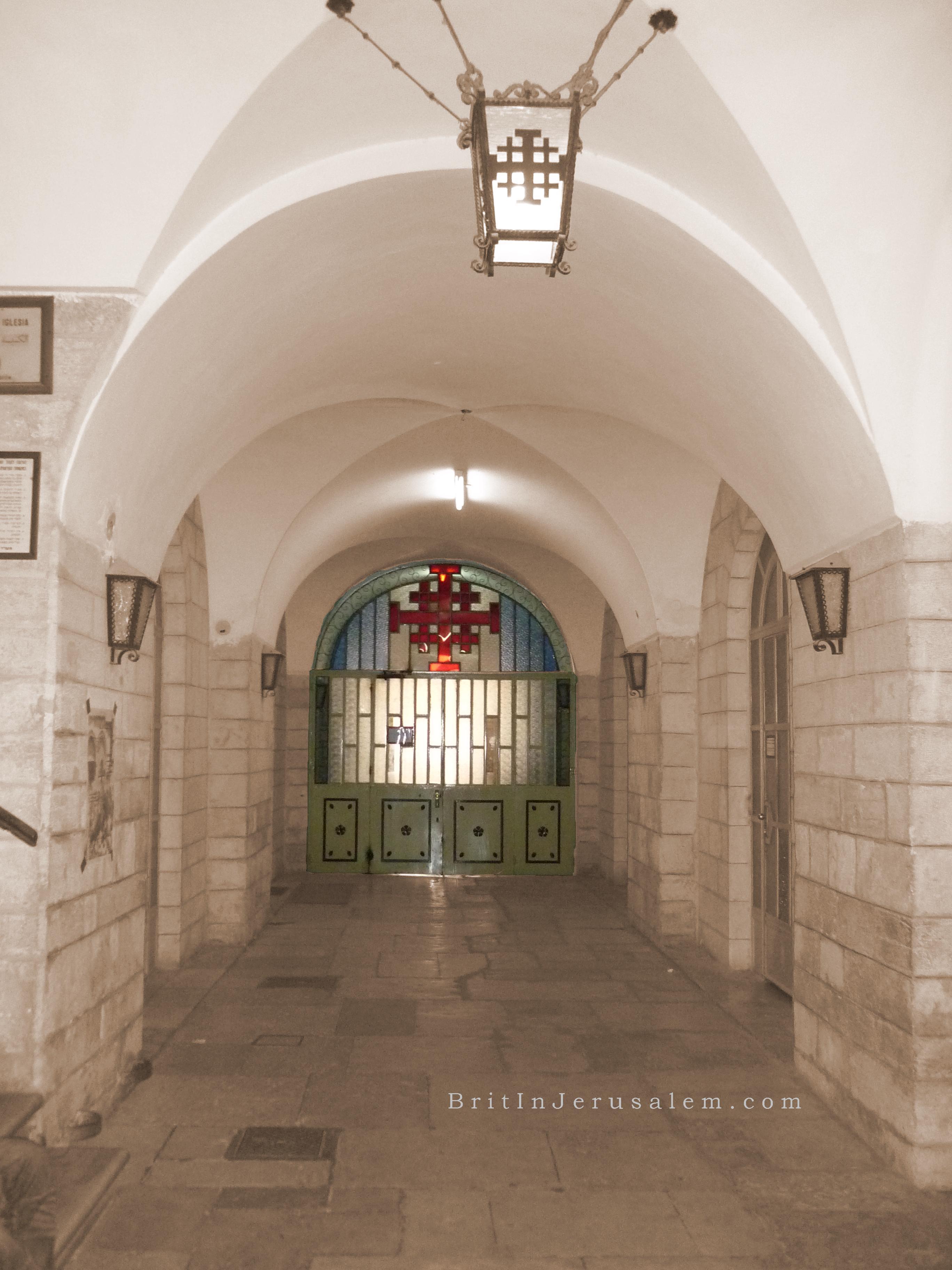
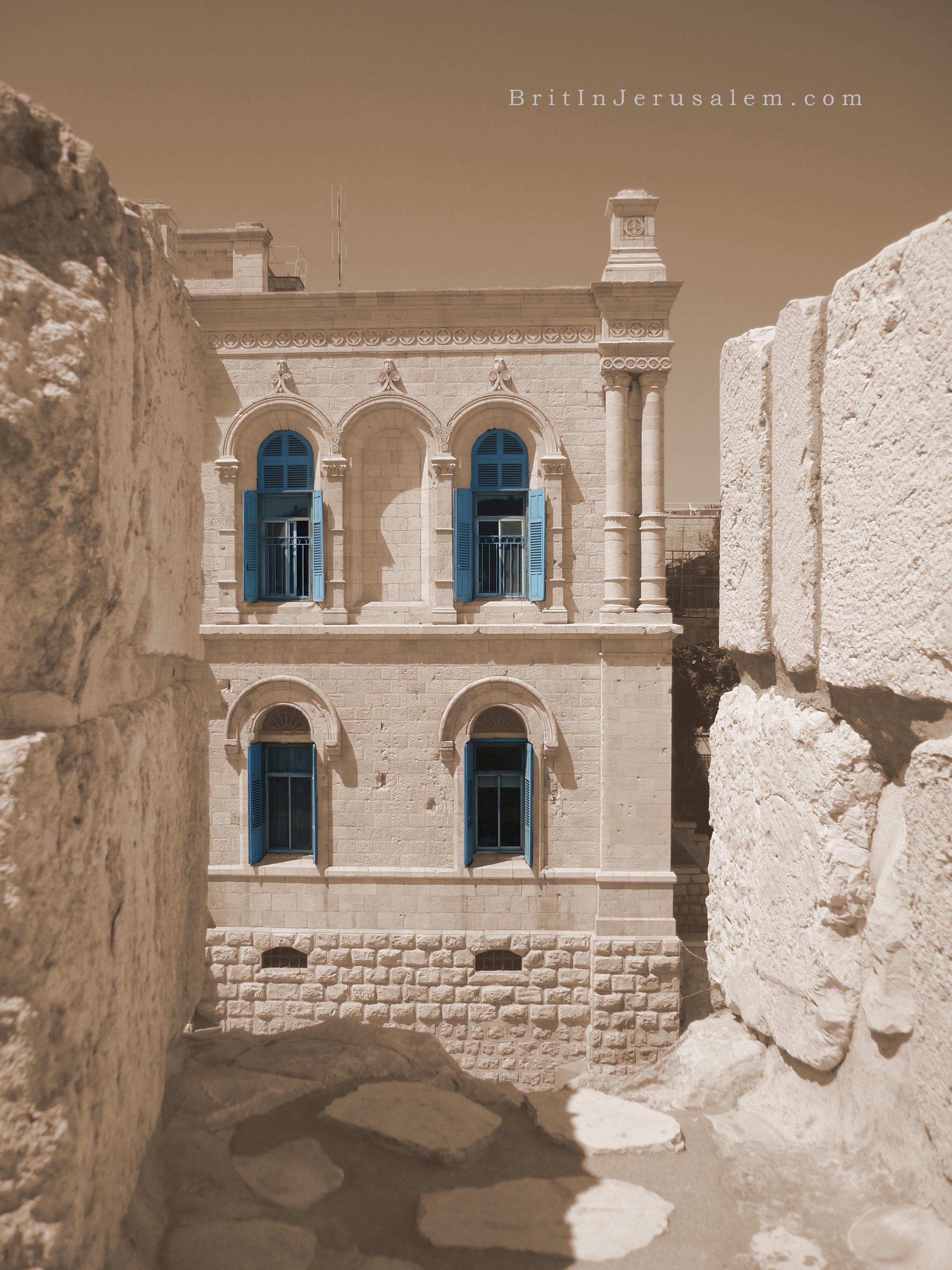
I sometimes pretend to be creative.   Here are some pictures I have done of various parts of the holyland, I have dressed up a bit with sepia and some extra effects.  These are you to enjoy, download them, use them as backdrop for your computer or for any private purposes.

I have listed four today.   A few more will be regularly posted every now and then, so keep this site in your browser favourites.

If you wish to have copies without the branding for private or commercial use, you may do so, please contact me, I would like to ask for a donation as I am volunteering for a charity.  Note, don’t just nab them and use them commercially or cut the edges off, if you do, I reserve the right to expose and make fun of you.   So there. 🙂

Seriously though, a financial gift of some kind would go a long way to help me here as I do volunteer IT work here in Jerusalem.   I am looking at the possibly of after coming home for Christmas, of coming back from January to April-ish.   For this I need to raise at least £500 for flights and health insurance.   Any ideas for fund raising would be greatly appreciated.

Part 1234 5 6 7

Computer and audio video cable rip offs

Expensive computer cables are a big extra upsell point for retailers, I have known this for a while since I was in retail in 2003.

Makers of audio, video and computer accessories have taken advantage of the naivety of audiophiles and movie buffs who are sitting ducks for cables that cost ten or twenty times what they should do.   Brands like ‘Monster’ who make video cables and funny phrases like ‘oxygen free’

Today I read the worse possible example of this when a so called audio expert mentioned on his blog that replacing the SATA hard disk cables in your PC would give you better quality audio.

http://entertainment.slashdot.org/story/10/08/19/1916236/Calling-Shenanigans-On-Super-SATAs-Claimed-Audio-Qualities

The blog post was removed in a hurry, but you can see a mirror of the original post here.

Here all the 1s and 0s transfer around at the same fashion in any cable, any interference in this and your computer simply won’t work further than ‘non-system disk, press any key to boot’

I worked for a well known mail order computer store who sold USB cables for #7.99 (PC World charge #14.99)  the cost price for these from the wholesalers is 39p.  Cables with gold and funny coloured insulation don’t cost that much more to manufacture.  Sorry my keyboard doesn’t have a pound sign.  Grr.

As someone who has made cables for myself, my employers and to make a bit of beer money for friends, its high time the consumers realise they are being deceived by the retailers, with clever spiel with no truthful facts.

Some outrageously priced cables on Amazon here:

http://www.amazon.com/Denon-AKDL1-Dedicated-Link-Cable/dp/B000I1X6PM

$2499 or $999 refurbished.  Hmm, I wouldn’t want a used one, someone’s dog hairs could of got on those delicate pin connections could cause the brass ensemble at the Vienna Concert to lose its delicate clarity.   On the other hand on this item on Amazon are pretty darned funny actually.  Maybe audio enthusiasts should have their house rewired by electricians in sterile foil suits.

Donated laptop for Hebrew/Russian user

More fun at work setting up computers as gifts to local people.

Today in between usual jobs I have to do at work as the IT systems admin of a charity here in Jerusalem, I was setting up this Compaq Presario 2100 laptop I blogged on previously on replacing the DVD drive. This same computer came into my workshop as the staff member replaced it with a newer Toshiba, and this machine is to be a gift for our cleaning lady who is originally from Russia.

This lady hasn’t got her own PC, and told us she had been praying she could get a computer given to her somehow.  So we are looking forward to surprising her later this week. 🙂

To start with I needed to take a Ghost image of this system in case any files got lost.   It turned itself off part way.  Bah.   Turned out it had overheated.   I stripped it down and found that the fan inside was clogged up with dust, there was a wall of fluff so the fan was turning but no air could escape out of the system. After pulling out the heatsink and fan assembly and blasting some canned air into it, some big balls of fluff came out of it, and once clean I put it back together.  I managed to do a full back up off everything on the hard disk.   This computer is pretty old now being a 2004 model, but it has a 2800 AMD Athlon processor, so performance is quite good actually.

Next was to install Windows.   I found a copy of Windows XP home Hebrew edition in a drawer, I made a duplicate of the CD and merged in Service Pack 3 for XP into it and burned a new copy of the CD.  I used the normal XP home licence code on the sticker on the bottom of the Compaq.

This is interesting as our cleaning lady doesn’t speak much English, she speaks Russian and Hebrew only.   For me installing XP hebrew version is a little interesting.   After formatting the hard disk etc, everything seems to be like normal Windows XP in English, once the computer does its first reboot, it will show the “35 minutes left to install” in Hebrew.  The rest of the install I can do from memory as I have installed XP enough times to know roughly which menu features do what.

Once installed, up comes the familiar desktop with the grassy hill background, but with the Start button on the right.   Everything is back to front as Hebrew is a right to left language.   I am doing everything else from memory here,  I put on all the Windows updates which took about an hour.   All the drivers go on after this.

Laptop pimpin’

This particular type work I do is quite fun as I get to use creativity in setting up the equipment for user so they can work with no hassle.

If you remember the TV show ‘pimp my ride’ where car modification specialists adapt and improve and tired and shabby vehicle of a viewer of the show, they write in complaining their car is old and jaded and would like to be considered to be the subject of the show.  Usually around $30,000 is spent on a car worth virtually nothing to start with. Part of the charm of the show is the outlandish over the top extras done such as 8 TV screens set into the interior.  Of course this particular business that has the team of vehicle technicians do actually have customers in posh parts of California with vast amounts of disposable income purely for aesthetic make overs for their cars.

Here in my workshop I enjoy pimping out  old computers, generally tune and tweak things for performance and usability.   I also try and reuse second hand parts where possible, usually I prefer to buy new parts such as cooling fans and batteries as used versions of these components are never any good, so everything can be done as cost effective as possible.  I always use a lot of open source software which is free and doesn’t have unreasonable and complex licence agreements.

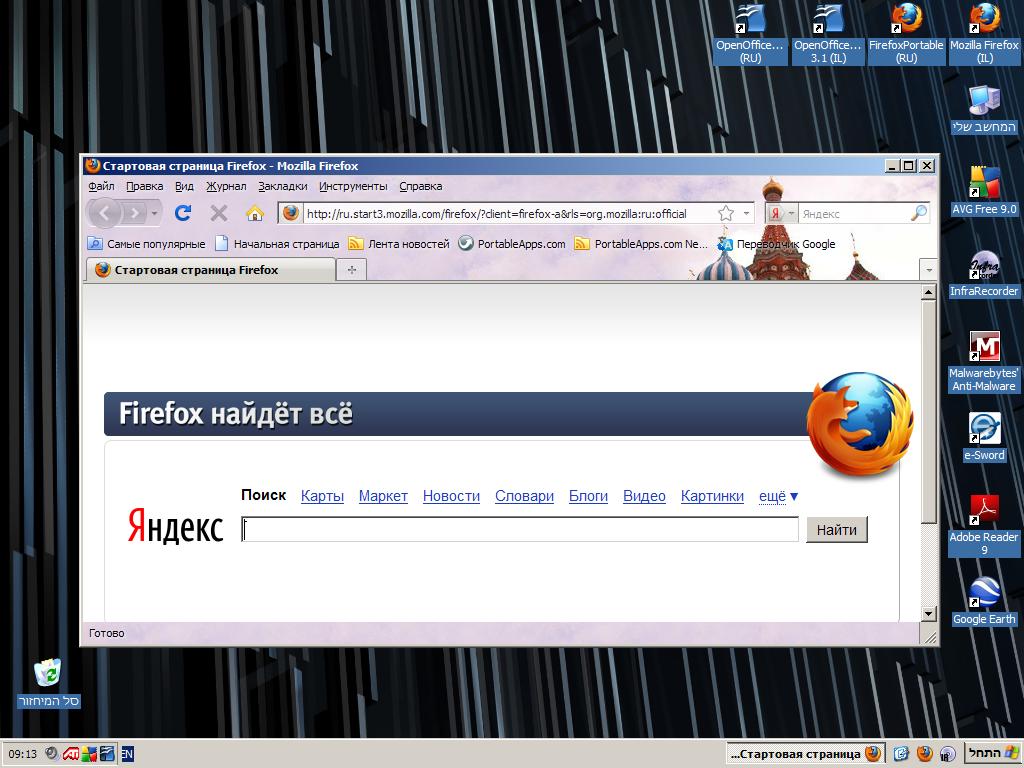
This particular system I have worked on is based around this lady’s background, and as Russian is her mother tongue, I put on the Hebrew version of Firefox, and also installed a Russian version of ‘portable’ Firefox.   This particular version of this popular browser (70+ languages are supported) is meant to be installed on a USB stick.   This means two versions can be put on together.  There is also two versions of OpenOffice, using a standard version and portable version.

Hebrew Firefox with Lion of tribe of Judah theme!!!

Russian Firefox with Tetris type church theme 🙂

Sadly it doesn’t seem both apps can be run at the same time, but don’t think this is too much of an issue.

As well as a simple Compaq wallpaper from the internet, I set the Firefox background themes to fit in nicely for each version of the browser 🙂
Software installed:- Windows XP home with Service Pack 3, Internet Explorer 8 (as not a great browser its just on for security updates) Media Player 11, VLC player 1.12, Mozilla Firefox 3.6.8 Hebrew version, Mozilla Firefox 3.6.8 Portable Russian version, Open Office 3.2 Hebrew version, Open Office 3.2 Portable Russian version, Adobe Acrobat 9.3, Google Earth, Free AVG 9.0, Malwarebytes Anti-Malware and lastly Infrarecorder CD/DVD burning app which has support for Hebrew language.

Of course all the security is tightened up with Internet Explorer icons removed, all Windows updates on, AVG 9 does the job nicely and Malwarebytes is good for scanning for more complex threats – albeit has the to be run manually once in a while.

All software installed is legally licenced and has cost the grand total of zero. 🙂

Only slight negative points of this computer is the silver paint on the palm rest is a little scratched, the battery doesn’t work for more than 5 minutes and there is no onboard wireless card.   I think I will go with a cheap USB wireless stick if she needs this access.

Now just need to give this computer a clean and could benefit from some Hebrew/Russian keyboard stickers for its new owner.

Guide to volunteering in doing overseas charity work. Part 1.

For Christians or non-Christians alike thinking of doing volunteer work I thought I would put together some ideas if you are thinking of getting out of the conventional work rat race and do something worth while for a bit, whether it be for weeks, months or even years.  For a single person like me its good to get into doing something new and worthwhile, especially as I am in my 30s and all my friends are married, it keeps you positive and focused.

  • Plan in advance to free yourself from any financial ties before you go.  Ideally pay off loans, sell or store your car, get rid of mobile phone contract/DVD rental/gym membership, etc.  Oh, and give enough time to quit renting your house before you go as well.
  • Aim to put together as much money as you can before you go.
  • Be able to promote yourself in what you are doing, speak at your church, get a web site or blog (You don’t have to have technical skills, you can get a template type job like WordPress or Blogger, so you can just do the writing and the site is all hosted for you) I found you have to do a LOT of selling yourself to show people you are serious about going overseas to do something like this.   I find conventional emails of updates often get little response sometimes, mainly because everyone has a lot of email and things get skipped ‘to be read later’ physical printed material is a good plan as well.  Don’t just aim to promote at just your own church, be prepared to speak anywhere and talk to as many people as you can at what you are planning.
  • Get online banking and familiarise yourself with it before you go.   As you know I am an IT sort of person, I would only trust my own or my workplace computer to do banking, and not one in an internet cafe or public computer.  You will want the ability to check your account regularly whilst you are away, as its generally a bit impractical to have family forward your bank statements that could take an age to get to you.  Some countries are more susceptible to fraud, or a legitimate transaction in another countries may be flagged up as suspicious which your bank might freeze your account if it thinks its unusual.
  • Take great care when writing things online on emails etc, to give a positive impression of your particular charity’s aim.
  • Credit cards, if used responsibly they come in handy for buying stuff without fees which you commonly get when using debt cards or ATM machines in other countries.  Most credit cards have freebies or incentives for you to join up or earn credits towards a flight or something.   Of course if ordered through cashback sites like topcashback, you can even get a nice bit of cash given to you as well which is nice.    Don’t forget credit card applications insist you are in full time in employment, so this should be done before you quit your job.  If you are a UK resident check out this article I wrote which explains how you could earn you some extra dosh.  Travel insurance companies also can be found on these sorts of sites.   Top cashback is also great for fans of ebay, lots of online music/DVD retailers like HMV and Play.com amongst hundreds of businesses are on there.
  • Get Skype, best way to call long distance.  Most laptops have a microphone hidden in the palm rest so you can just talk straight into it often without a headset.
  • Having an extra language is not essential but can be very useful.
  • Have a mobile phone that is unlocked to any network so you can get a SIM card put in it, again you may find a phone new cheaper before you go away, or just have a spare one not being used.
  • If you bring your own laptop, aim to make back ups of photos and important things onto bank CDs or DVDs, they are cheap and easily mailed home.   Or upload onto a free hosting site like Picasa or Microsoft’s Skydrive (all of these are free)   These don’t use up valuable luggage space.  A common type USB hard disk is ok, but hard disks can still break or get lost or stolen, so they shouldn’t be your sole source of important files.
  • Take electrical adapters necessary for your required country.   Laptops don’t need to have their voltage changed, the always work on anything between 110-240 volts.   Everything else won’t though, so it might be best to leave that hairdryer at home and get one in your chose country 🙂   In general:- Europe/Middle East/Australia = 220 or 240 volts.   US/Canada/Asia = 110 volts.
  • If you do some research in where to ride safely, a bicycle is a fun way to get around, an investment with mostly tiny running costs and saves a lot of money in bus and taxi fares.
  • Avoid wearing Tshirts with something political on them.  I have a bright yellow Tel Aviv basketball club shirt although it still occasionally gets me funny looks as there’s is a little bit (very minor) of rivalry between Tel Avivians and Jerusalemites. 🙂
  • Do bring Tshirts and other things that from your own country or favourite music etc, as these are good conversation pieces, especially when you make friends with people all over the world.
  • Work out what parts of town are not safe and figure out how to get home by bus or taxi.
  • When packing your case, you have to aim to be less than 20kg if you don’t want to pay nasty surprise charges to the airline, and its possible the security departments will want to look at absolutely everything in there of course.   A decent solid case with wheels makes life a lot easier to get around of course.
  • Get a new pair of trainers (Sneakers to Americans) before you go, if you like me you wear out your shoes a lot as you may pay more for new shoes than you would in your home country.
  • Hot countries require you drink a lot of water, make sure you always carry some, half a day outside means you need at the very least 2 litres of water.  You should certainly have some even when outside for half an hour.
  • When you are planning to finish volunteering bear in mind that December and January can be pretty quiet when looking for jobs.

Hope this helpful, I would be happy to give personal help to anyone with questions.

I will add a part two to this with with some more things soon, more specific to Israel.


Computers translate ancient extinct Ugaritic semitic language

Read this recently.  Some people had used software to read some biblical extinct language.   Seems pretty exciting even if there is no explanation yet given.

http://news.nationalgeographic.com/news/2010/07/100719-science-technology-computers-lost-languages-translate-bible-hebrew/?source=link_fb07192010c