Jerusalem people gather to remember deaths in Itamar

When I came back from Tel Aviv at the first day of setting up at the robotics event, I was sad to hear about the earthquake in Japan, and fear of a nuclear disaster.
Even more so as I have worked with at least 6-7 Japanese people in the last year and half.

The other tradgedy just after then was five members of a Jewish family were murdered by a Palestinian terrorist who broke into their house.

Only brief snippets of this was on the mainstream news, not mentioned much apart from in Israel news and Christian supporters of Israel was the fact that people in Gaza celebrated the deaths and threw candy at children in the streets.  The news channels took the step of showing deeply upsetting pictures of murdered people, to try and provoke the mainstream media to encourage condemnation of these horrible acts.

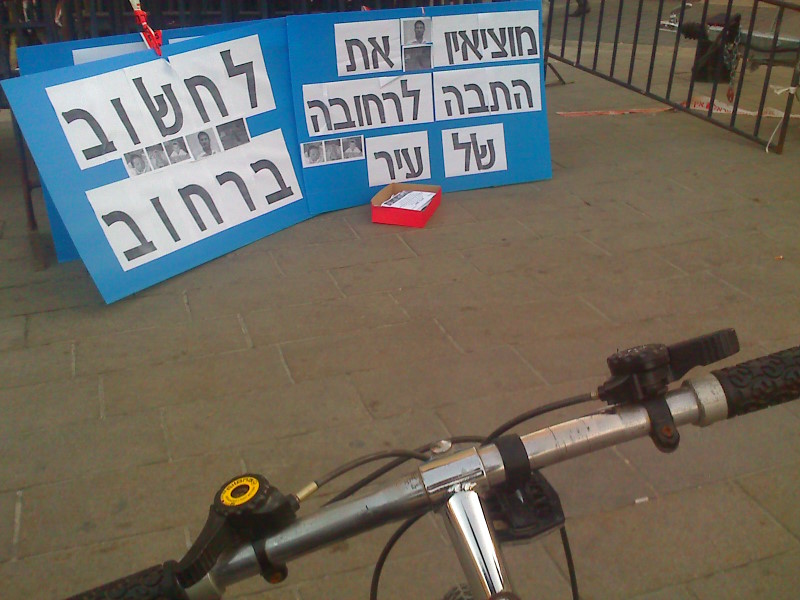
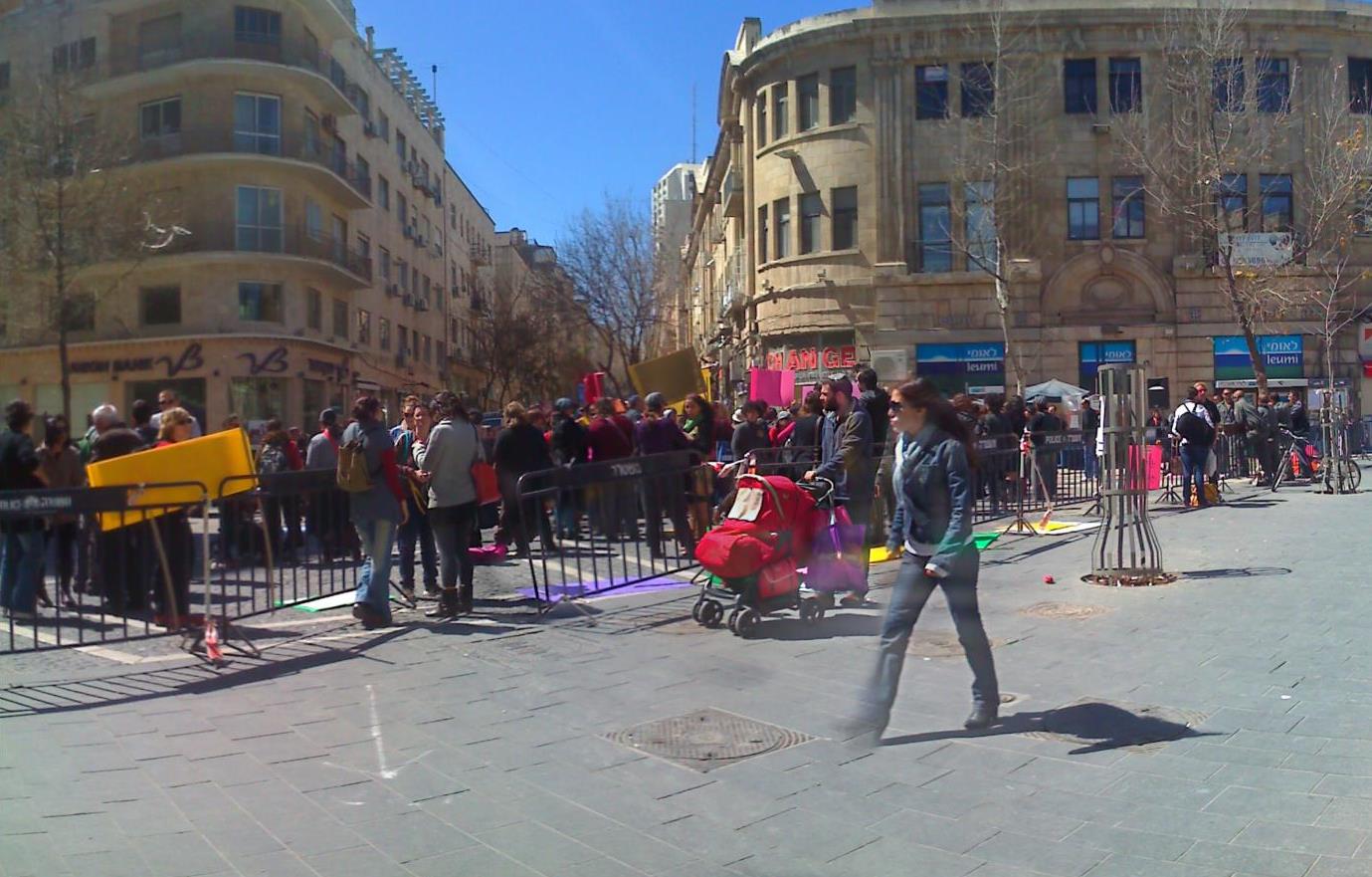
I went down to Zion Square, a busy junction where Ben Yehuda Street meets Jaffa Street, often used for events and protests sometimes.

This was more like a tribute event, rather than a protest, there were police here guarding the event.

Later when I went home, some police barriers were still there and some signs but the people had gone.

Tel Aviv – robotics competition Part 2 Meet the robots

Another 5am start – urrrgh….

But it was worth it also.   As the robotics event was already in full swing, I did get to miss out on the Lego event that happened earlier in the week sadly, as my colleagues from work were helping out on the monday and tuesday.

The electronic signs didn’t show English, but some other signs around the corner did show which gates at Jerusalem bus station are for which city.

Tel Aviv bus station is hugely complicated.   Its a bit reminiscent of the now gone Tricorn shopping centre in Portsmouth, UK, for its concrete angles.   When your bus gets there you are high up as its like a multistory car park, quite a clever design really and you have to use lifts or escalators or steps down.

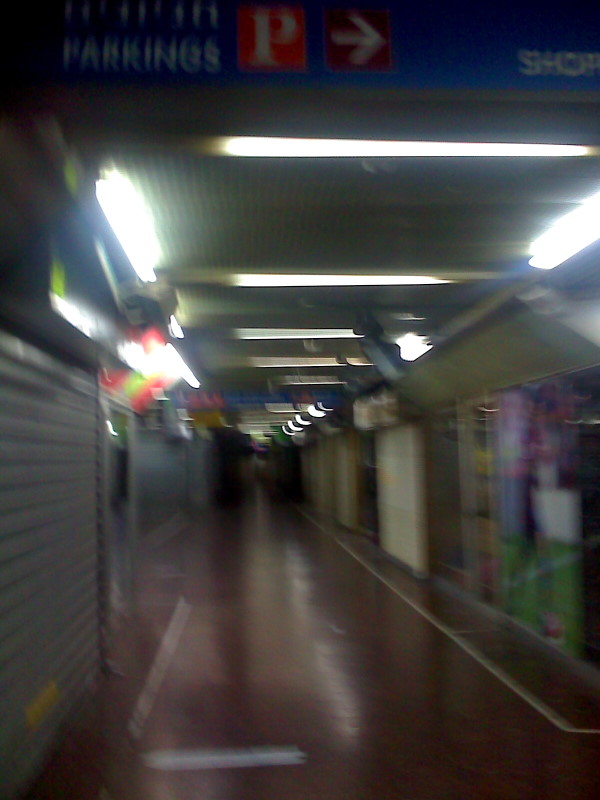
I just seem to go round and round looking for an exit, and got into an abandoned wing of the shopping centre which looked a bit seedy and smelt of wee.  Got to like the “Parkings” sign!

Back at the Nokia arena, I got to visit some of the contestants there…

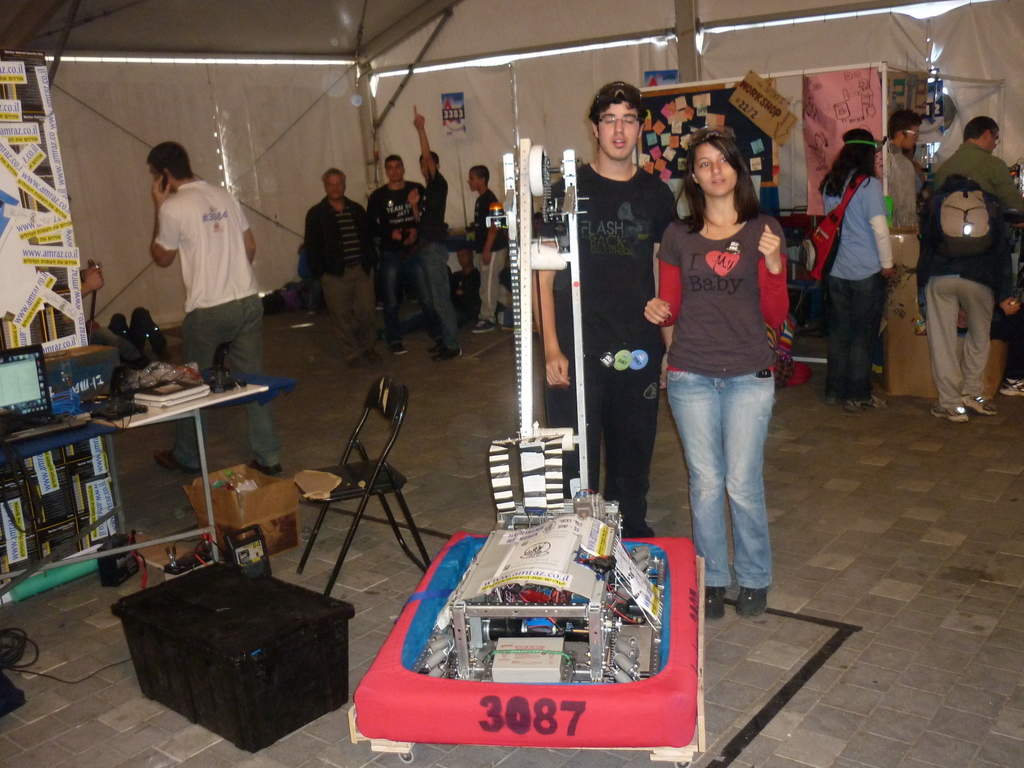
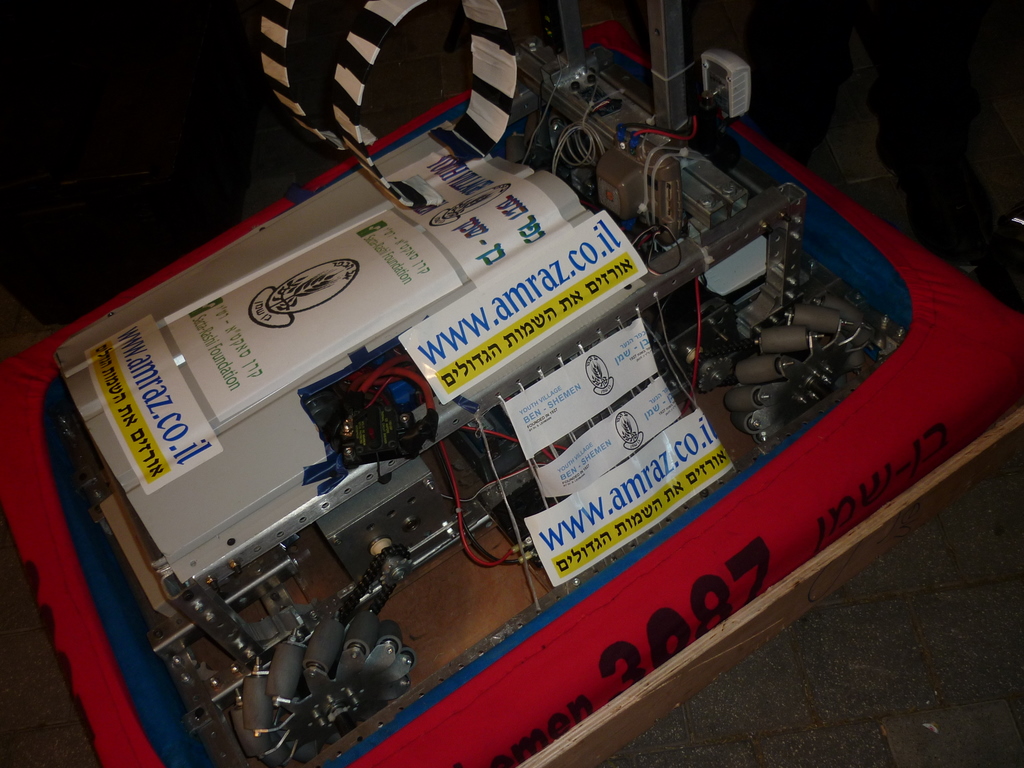
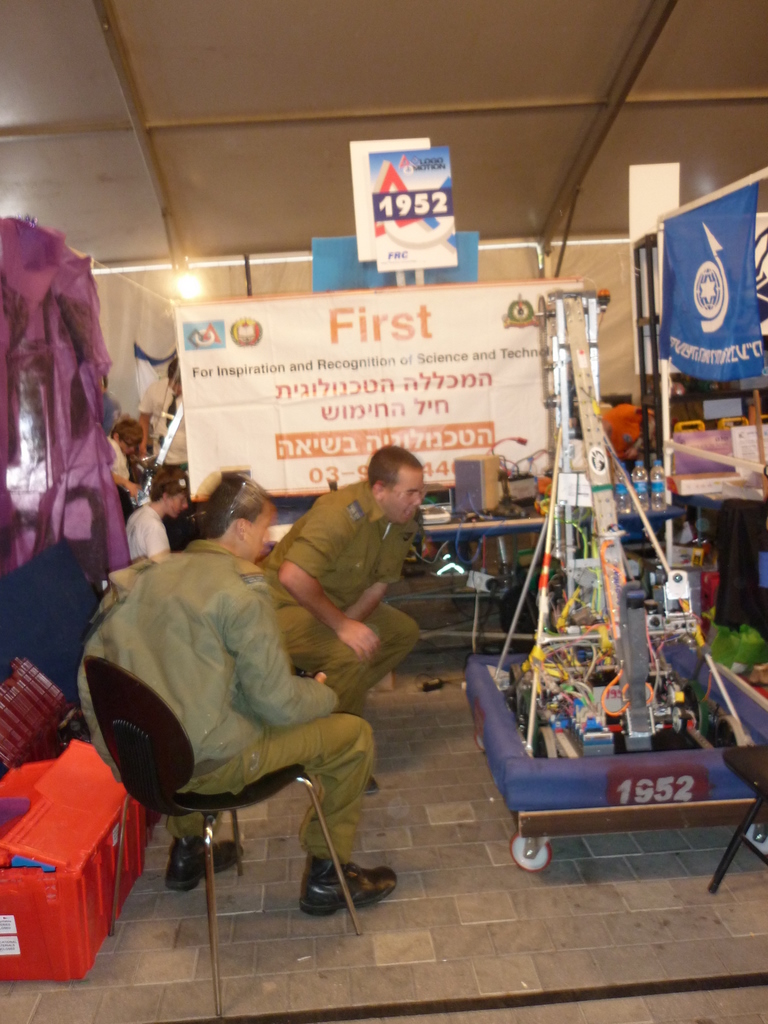
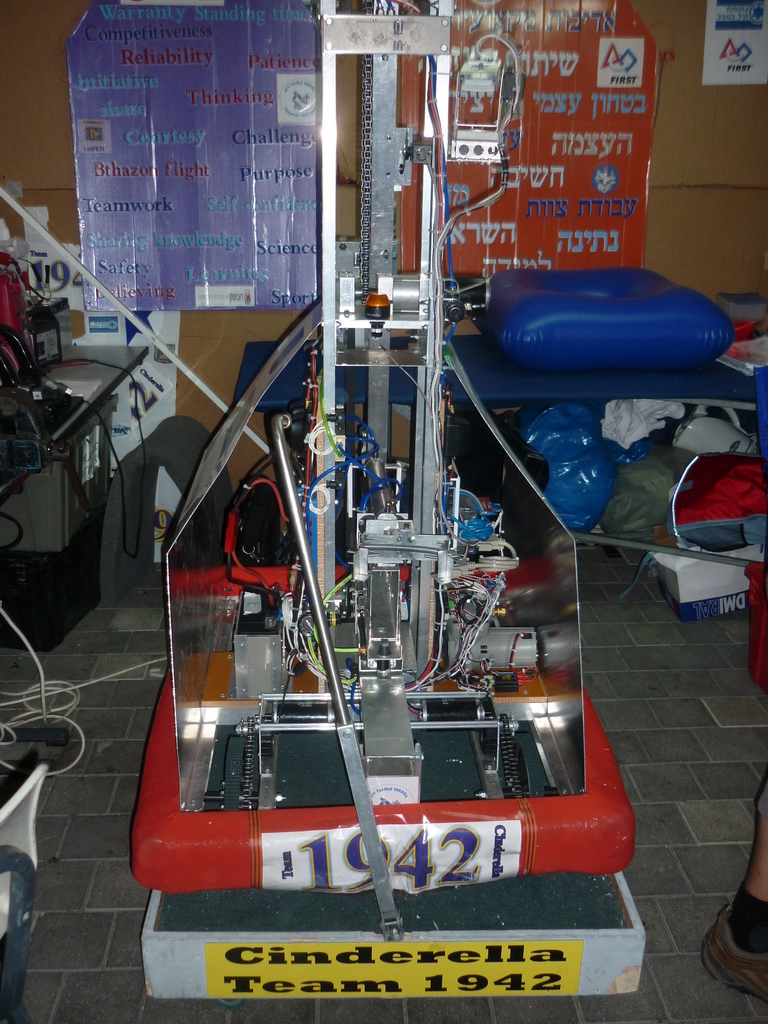
Meet the robots!  They are all made of mostly steel, weigh upto about 40 kilos, have an upright arm for grabbing objects, share the same control system (wireless by laptop)  and are sponsored by companies big and small.   There is a bumper, a rubber or foam insulator around the whole thing to protect from knocking into things.   I don’t know much about the rules and specs they had to be built to, but I do know they are not mean to attack each other or people 🙂

The teams are almost all Israelis, secular and religious Jews, Arabs and a team from the military too, plus was one foreign team from Bosnia.

Part 1: Setting up at the arena
Part 2: Meet the robots
Part 3: Robot inner workings
Part 4: Competition

Tel Aviv – robotics competition Part 1 The Arena

I am up at 5.30am, its dark, I  get some tea and go out onto balcony to get some fresh air and be ready to leave the house at 6.

My friend Dan picks me up and Theuno, another volunteer from South Africa and we head off to Tel Aviv.

Instead of doing normal IT administrator work and helping our staff in the office, I have got to work on a community project, its for a robotics competition where groups of young engineers get ready to design, build a remote controlled mechanical device in teams.

Its nice to be out of the office and doing something different, and this type of event where youth with a passion for building their own contraptions and have to obtain sponsorship from large companies in Israel to find their projects, get to pitch their creations at this exciting event.

Its no secret IT and technology has been part of Israel’s best and most exciting exports to the rest of the world, this month I got blessed to go to this event, and I am planning to go to a Microsoft technology event also in Tel Aviv later this month.

A not too long drive and we are at skyscraper laden modern city of Tel Aviv, didn’t manage to get take out coffee on the way down but there is a Aroma coffee place built in the side of the building here.

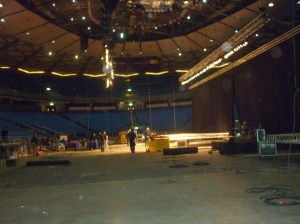
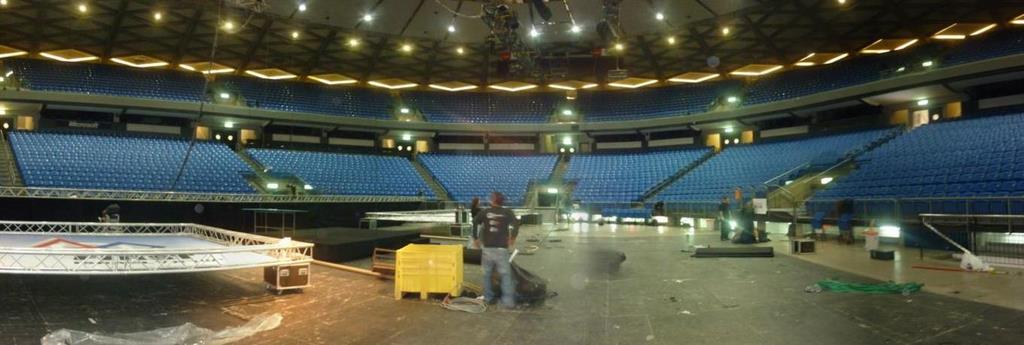
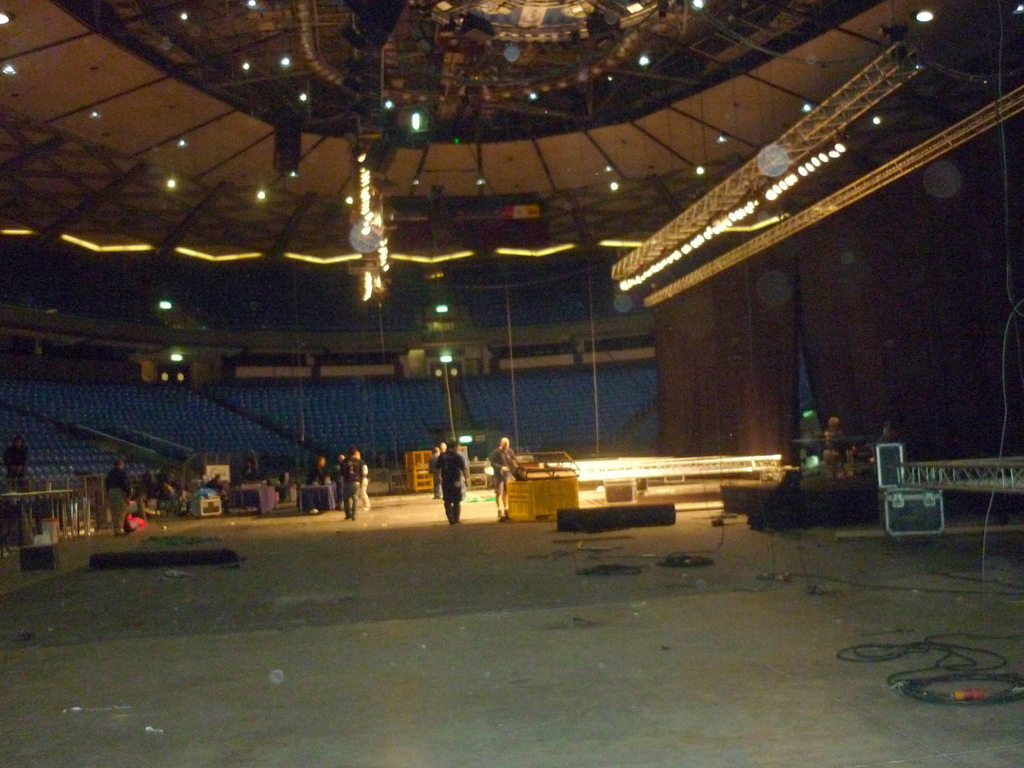
This is Tel Aviv’s Nokia stadium.

Maybe it will have to be the ‘Nokia Windows phone stadium’ soon, given Nokia’s recent plan to abandon their Symbian operating system and use a Microsoft’s Windows mobile.   Bugs and frustrations in Nokia’s touch phones have caused even long term fans of Nokia to abandon to other handsets, especially given problems with the faux-iTunes-alike Ovi media software.    Switching to a non inhouse software environment is likely to result in a huge job losses for software engineers in Finland’s biggest name in IT, and staff and visitor here I see are mostly calling each other or browsing the web on iPhones.

The stadium is apparently owned by Tel Aviv municipality, and built in 1964, in 2005 it was renamed the Nokia Arena.   I guess naming sporting complexes after sponsors is becoming common place just like London’s millenium dome became the O2 arena.

This wiki article on the stadium also mentions a brief bit about the robotics competitions done here.
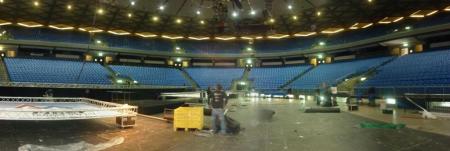
The stadium is fairly small perhaps by European standards holding about 11,000 people, the centre stage is less than a football pitch.   Its mainly used for Macabbi Tel Aviv basketball club to play.
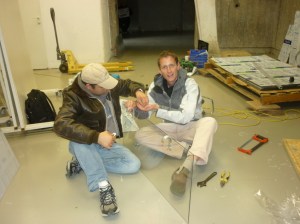
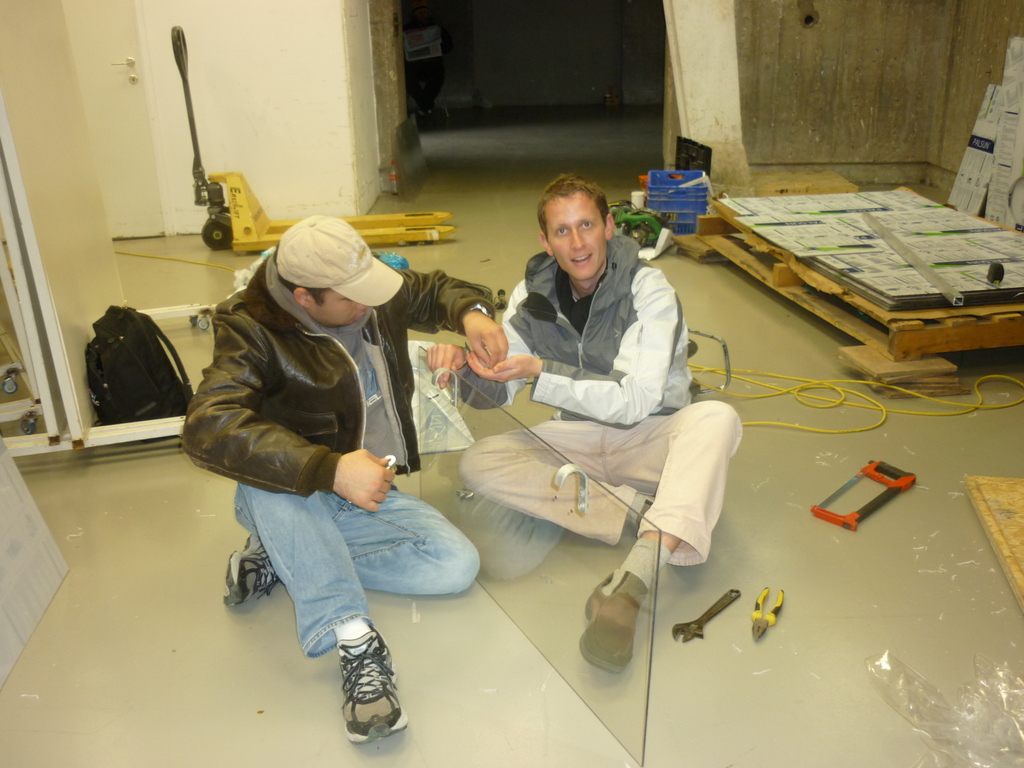
Left, my friends from work help with fabricating some new pieces of polycarbonate used for part of the stage system, the current thin pieces got brittle and cracked, our DIY supremo Robbie cut these pieces and put the holes in, we had to remove the metal hinges and fix them to the new better quality 6mm plastic sheets.  A ratchet spanner makes easy work of this.

There are in-house stage staff that put up the large partitions and projector screens which are done by pulleys and also by men working up in the roof.

I chatted to a few people there, cheekily asking if there is possibility of free tickets to any bands seeing that Guns N Roses and The Scorpions have played here. 😀   Years ago, U2 and Red Hot Chili Peppers played in Israel in 90s and many fans want them to come again, but I think they played in a Ramat Gan in another part of Tel Aviv, like Elton John, Metallica and Justin Beiber in the last year or so.  I have noticed Israelis are big into live gigs.

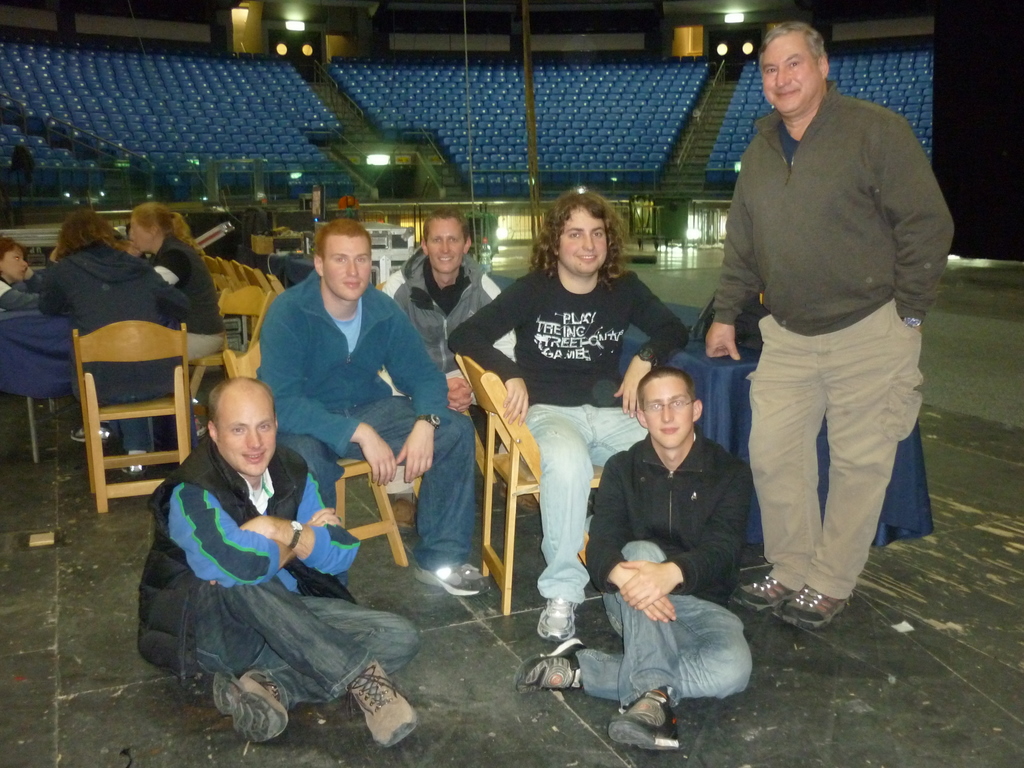
Was a long old day taking the large numbers of stage and shelving parts of this event, and got to know some local chaps, some are soldiers and some are studying engineering helping do the set up but not actually competing in the game.

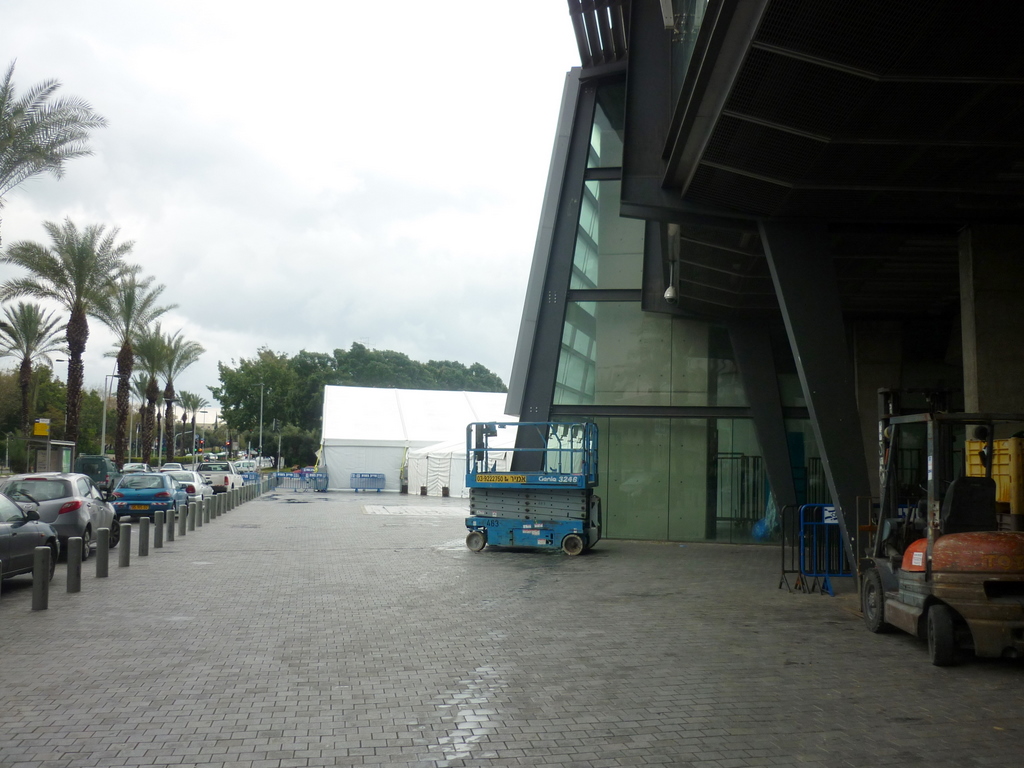
A scissor lift and various forklifts are amongst lots of gear used by the stage hands here.  As well as the semi-permenant tent structures, if you look carefully the white square on the ground is an outdoor lift that can move large amounts of equipment from a truck down to the basement, however it wasn’t working today. 😦

As we went home for Shabbat, there is more set up to be done sunday but there is a different team of people to help then, the event starts on monday and I will be back wednesday to see how the competition goes 🙂

There is even people coming from Lego to showcase smaller robots made from off the shelf parts 🙂

Its jolly exciting.

Part 1: Setting up at the arena
Part 2: Meet the robots
Part 3: Robot inner workings
Part 4: Competition

www.firstisrael.org.il
Karmiel food bank IT work

Whilst I was on a break up north, I did one day of work just doing preventative maintenance and planning for back up power.

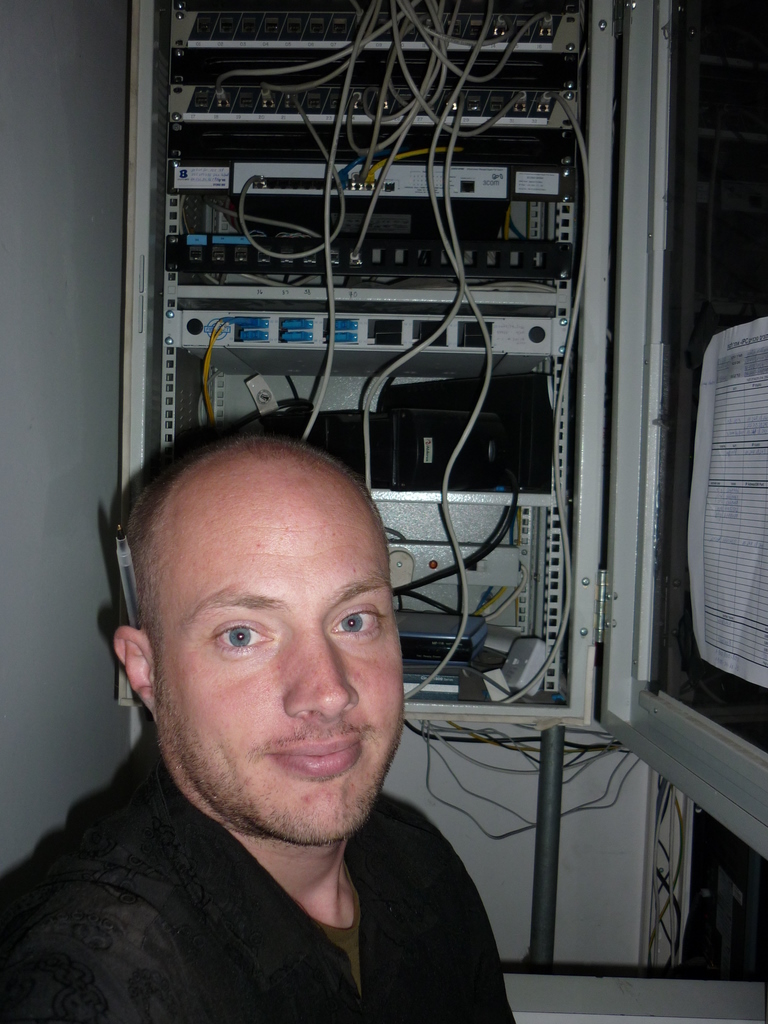
This cabinet has switches and routers for our Karmiel food bank.

The top device sticks out and the cables protrude too much stopping the glass door from closing.

There are two UPS battery back up units here, some of these small shoebox sized units have not been reliable in other systems I have used and my guess the batteries which normally have a life of 3 years or so, probably need replacing.

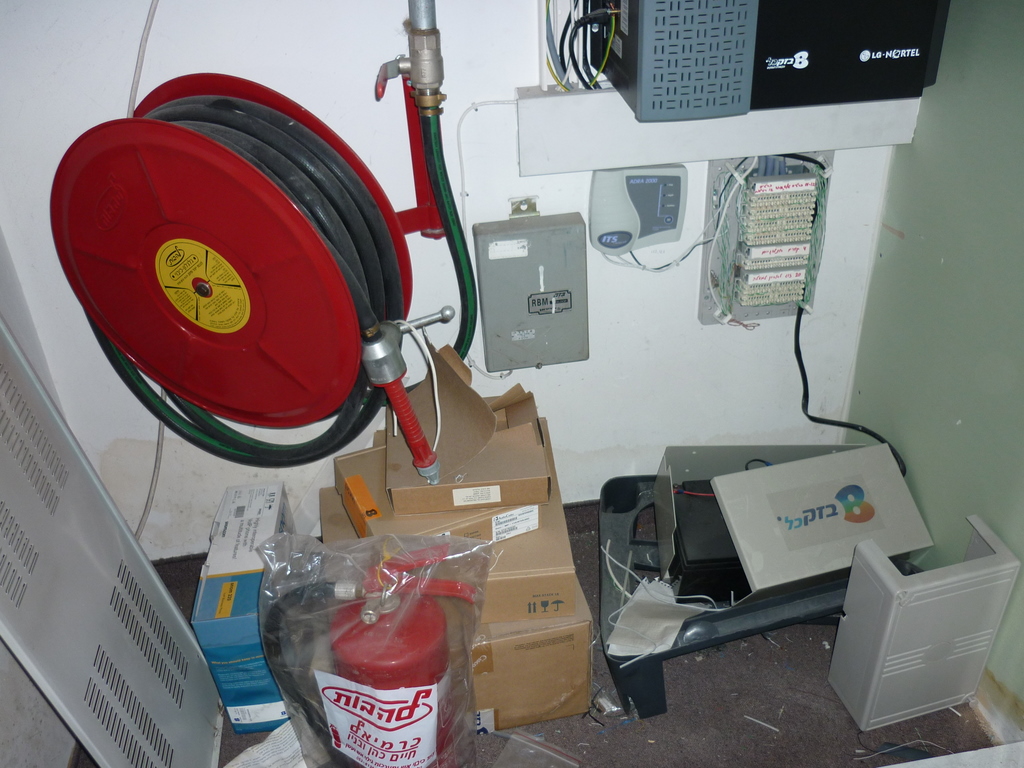
The server room sits down the corridor, I plan to do is to install a bigger UPS here and run all of this equipment here and the other room too.

I need this week making diagrams on how the wiring for this is going to work.  The electrical sockets in the computer room need to be labelled as ‘IT only’ as a vacuum cleaner or some other device with too much power will overload the system.

The wiring closet will need to have all of this junk removed, but, there is a fire hose here, not the best place to have this..

The new UPS needs to have a network port, as I want to check its status 160Kms away in Jerusalem, as we are not at this site very often.   Ideally I would like to see this item appear on my Spiceworks monitoring software.   In the past UPS manufacturers like APC require it to be connected to a PC via serial port (hopelessly out of date)  to check and monitor and issues with the power, and you have to pay extra for software.   Spiceworks integration would make this great.

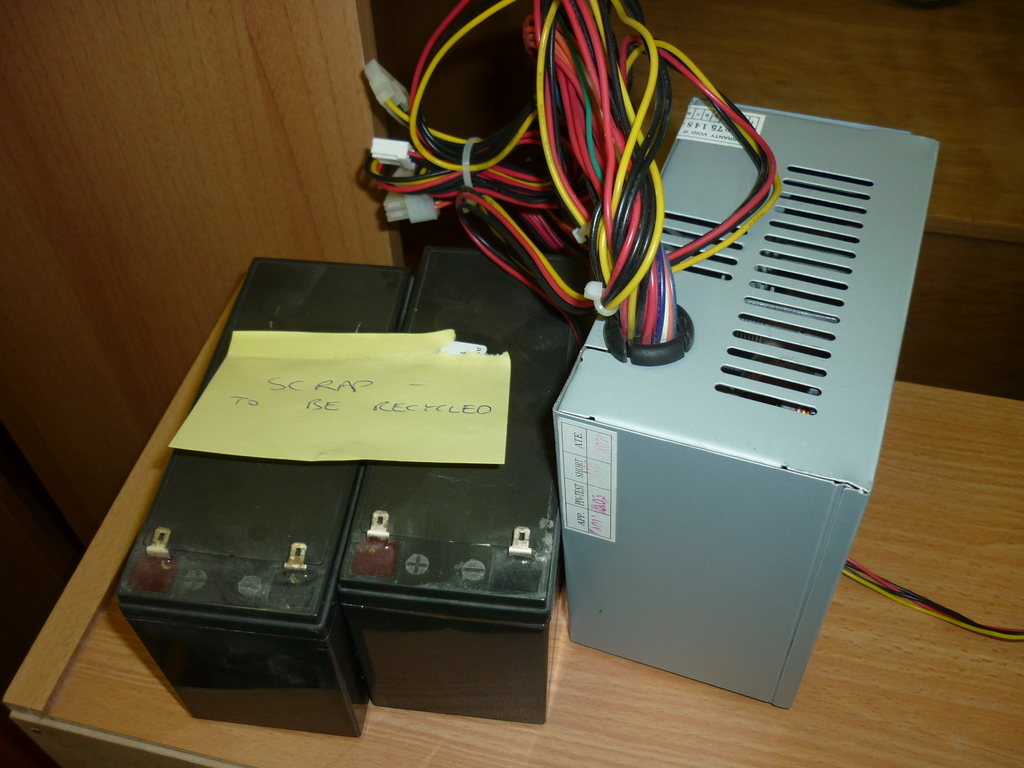
Fixed a our server that handles back ups at this site, every once in a while this machine would turn itself off or crash.  When I visited this site, I notice the power supply on the back of this PC has a fan not working, when poking it with a pencil it would not turn.   I got a new power supply from a local computer store in town.   I found some scrap batteries which were left from UPS devices that had been serviced with new batteries by the IT guy who was there before me.

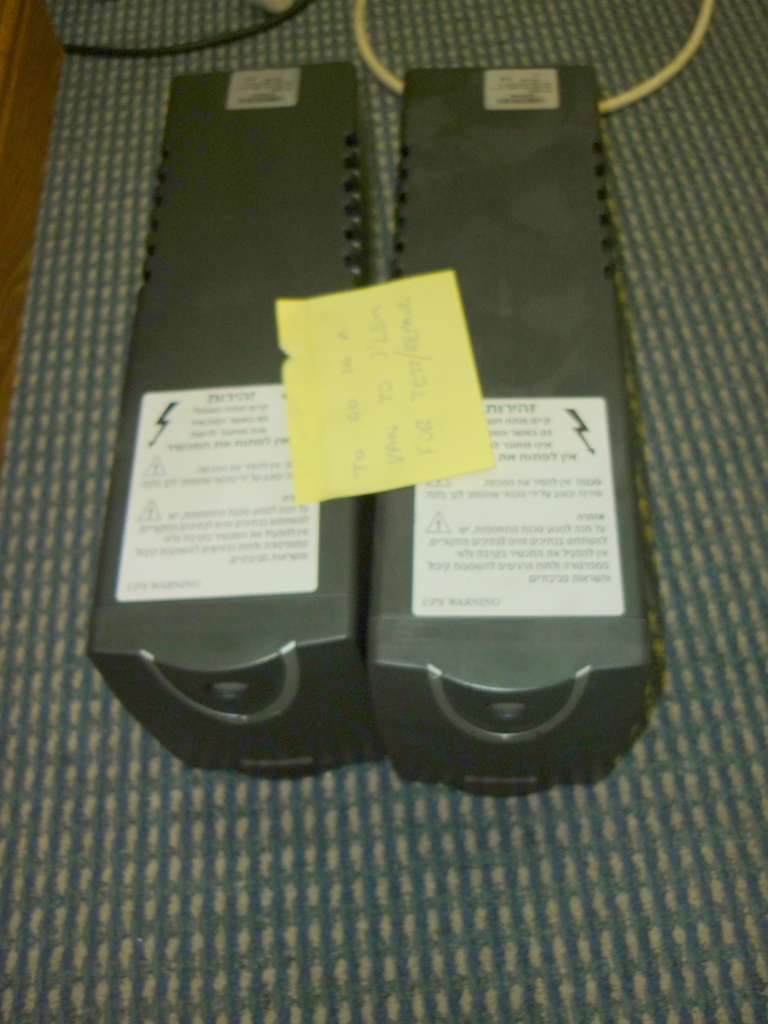
Left: Some UPS devices that are spare I need to bring back to be tested and possibly fit new batteries in.  These are quite important as they are needed to stop spikes and brown outs in the power from cutting out the computers and other important equipment.   Right: scrap stuff labelled to be recycled.  I am not sure exactly where old batteries are supposed to be disposed of in Israel.  It seems irresponsible to throw them in the bin as all batteries are highly toxic.

I also done some tuning and updates of several PCs at this building, and set up Skype and a few other small jobs.

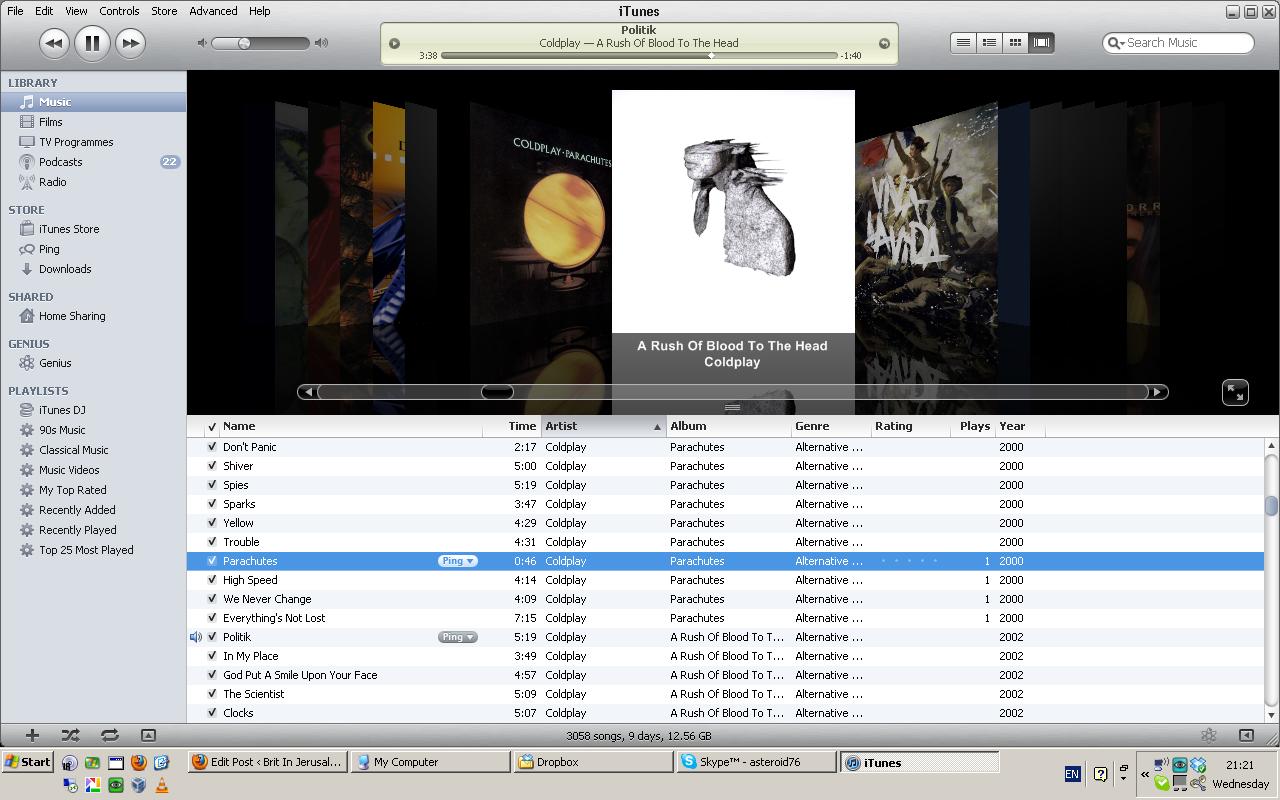
Why I like Foxytunes for listening to music at work

Not stuff life in Israel today, but just some handy little known snippets of things I use both at home and work.

I almost always listen to music whilst I am driving or working.   There is quite a lot of similarities for me between these habits.

Good old iTunes.   Lots of people like it and lots of people hate it.  I don’t own a iPhone, and I think it would be better if Apple spun off the phone controlling features into a separate application.   iTunes does a grand job of cataloguing your music, occasionally there are some funny quirks, but in general its a nice application.  I am quite a big music collector and have most of my 200 odd CDs imported and on my (now old school rotary controlled) 30gb iPod.

Various friends have recommended Spotify if you want an “all you can eat” monthly diet of music.  I have yet to try this, but I tend to use Youtube for music I don’t yet own, whether this is legal or not as i am just watching it, I don’t know, but I do know this does strongly influence what CDs I buy next.   I still prefer to buy CDs than download, its cheaper, I like having the tangible copy on a shelf with the others in my collection, some songs are best played as part of a collection as they can often tell a story together which is not so significant if you buy one song at a time.

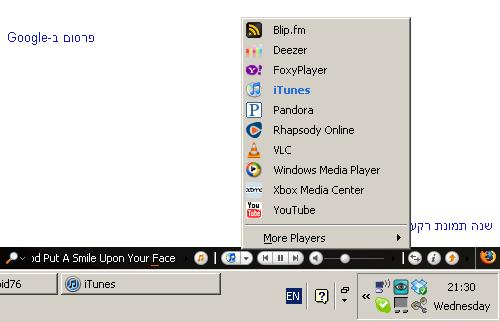
Now you can notice Firefox has some extra buttons at the bottom.

Clicking this little button above lets you choose your preferred music player, iTunes, Windows Media Player, Winamp and many more.  If you stop iTunes and open up another tab in your browser with Youtube, I can listen to a song on here, switch back to what I am doing on the web and control the music with the buttons at the bottom, Foxytunes will shift the functionality of these controls to the appropriate music player transparently.

The controls on Youtube are horrible from a usability point of view.   Try adjusting the volume, its awkward and fiddly, even more so when the phone rings and you need to quickly silence the song in a hurry.

This method is similar to way I like the last car I had had audio controls on the steering column, I think Renault were the first to do this, with original Espace in the early 1980s.   A lot of generic car radios have scrolling messages of how many channels it has, and the buttons are small and awkward to operate, a truly hideous experience to use whilst you are trying to operate a car.  The stereo on this car was a simple one, the four directional joystick, one axis for volume the other for radio or CD track, just for the main essential features of the radio that doesn’t distract you from driving.

Now I am not currently a car owner for the time being, I still have the same tastes of making controls for things not more complicated than necessary.  Here these buttons just have which music player, backwards, play/pause, forwards, volume slider, and some other bits I haven’t used as of yet 🙂   There is a faint red line under the title of the artist and song that shows how far through the song you are.   You do have to switch to your music player to pick a different artist of course.

Anyway Foxytunes is just a very pleasant way of controlling your tunes whilst busy on the web, and can’t recommend this little app more.

There are some extra little ways it helps out, in terms of letting you play MP3 content on a web page without having to download it.  I haven’t used this enough to comment on it though.

As in 201xs more software operates via the web via browser via cloud technology, I think Foxytunes may become more and more popular to listen to music whilst using the web or browser based applications.

Recent surprise, Foxytunes is developed in Israel by a small team, and they are now owned by Yahoo.

The other good news it works on Firefox on all Windows (XP, Vista and 7) Macintosh and Linux computers with the Firefox browser 🙂

Get your Foxytunes add on for your Firefox here

https://addons.mozilla.org/en-US/firefox/addon/foxytunes/

12.5mm laptop hard disks not fitting a lot of laptops

My room mate asked me to upgrade his Toshiba Satellite laptop.   Its already quite new and very high spec with 6Gb of memory, Win7-64 and a Bluray drive.   It has 320Gb of disk space which is no longer big enough.   I think he bought it at the end of 2009, since then bigger disks have appeared for laptops.

Being a bit behind in physical form factor and capacity that hard drives in laptops and the heavier USB external drives, only in the last year you can now get 750 Gigabyte and 1 Terabyte disks for laptops.  Trouble is, that these drives are in the fatter 12.5mm format as opposed to 9mm disks in most laptops.   Various Dells and Toshibas in recent years have the hard disk underneath rather than a sideways mounted module which is better.

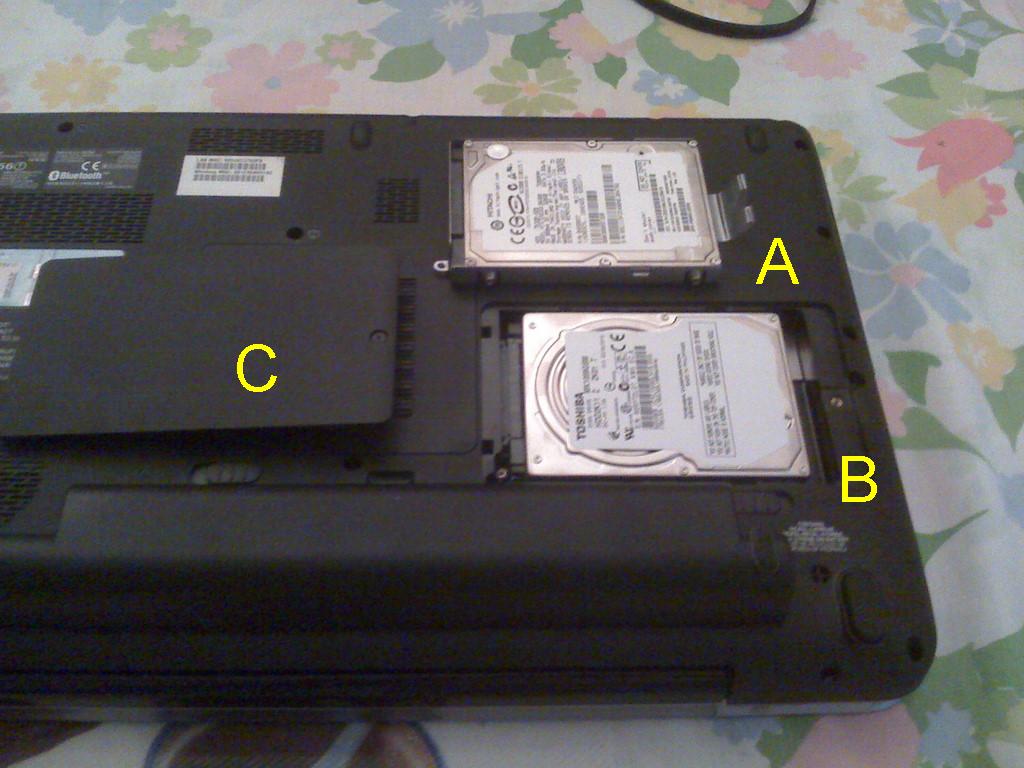
Picture shown: The battery is an extra large capacity, so the ‘foot’ raises it off the ground a bit.   A) Original 9mm high Hitachi 320Gb disk.   B) New Toshiba branded 12.5mm 1Tb disk. C) The trapdoor panel that will not fit.

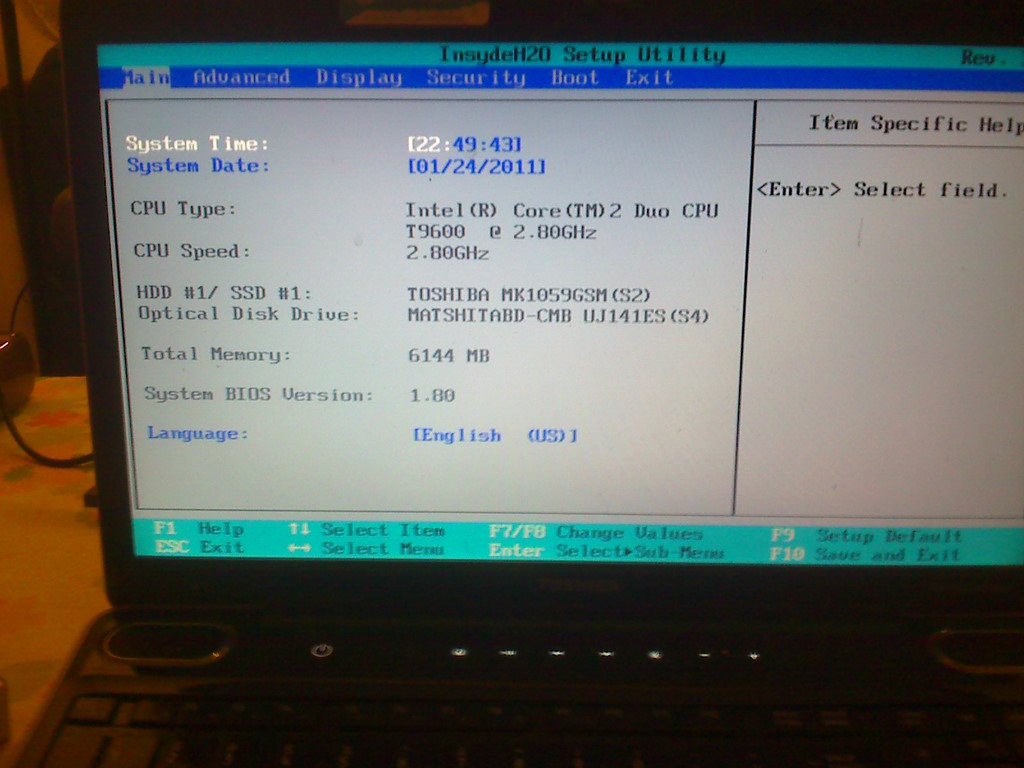
Here is the problem:  the 12.5mm 1Tb drive simply does not fit in side this Toshiba.   If I fit it in loosely, gingerly turn it the right way up and power up and put the Toshiba in the BIOS mode, the disk is seen by the computer as you can see from the picture.   To be honest, its only the panel that snaps on the bottom that will not fit closed.   Its not mine, so cutting any bits off is totally out, it does look like only a few small discrete tabs on the hard disk door would need to be removed.   Nor is any bits hanging out a desirable option.   It does very very almost fit.

I bought the Toshiba 1TB 2.5″ hard disk from popular IT retailer DABS, they told me they will not accept it back as I bought it around mid December so I am stuck with it.   This is a bit unfair as they didn’t specify its a taller 12.5mm unit on their web site.

Some Google searches shows there is plenty of compatibility issues with some Dells, HPs and Apple Macbooks.   These drives won’t fit in a Playstation 3 either.

Please Toshiba, (and Dell, HP, Acer, Sony, Apple too)  can you provide some simple info in a chart of which models can use these newer cheap large disks?   All I can say is, do some thorough research if you are tempted by a big hard drive upgrades for your laptop.

Its strange that Toshiba make computers, and make parts, (hard disks, LCD panels, DVD drives)  used in other brand laptops, but my own 2006 model Toshiba Equium A100 has a Panasonic made DVD drive and a Western Digital made hard disk!!

Update:   DABS’ customer service manager let me return it with a 10% handling fee.   I have found a 9mm high 750Gb Seagate 2.5″ drive, so I am going to use this.

Land of the bible room gets wireless

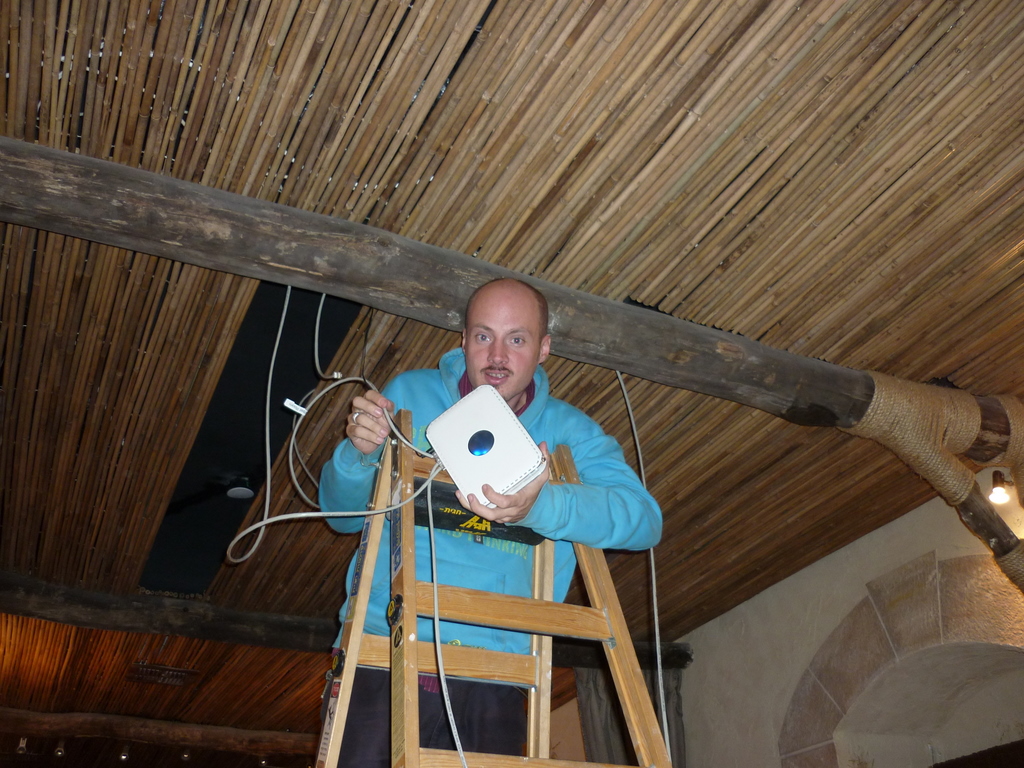
This week, one of many things I had been doing at work is put wireless internet connection in our teaching room to aid with presentations.

Here is the teaching room.   Its a place we have our devotions or worship in the morning and bible teaching and conferences happen here too.  The room has been modeled and furnished to look like something out of the time of Jesus.  The opposite side has a roll down screen to use with a projector.

Some of the awkward stuff is done, the chaps from the home repair team  (they fix houses of local Israelis who can’t afford to have repairs done themselves) did all the messy stuff of laying the cables under the floor of the flat above, we just needed to fasten the wiring to some sockets and configure the router 🙂

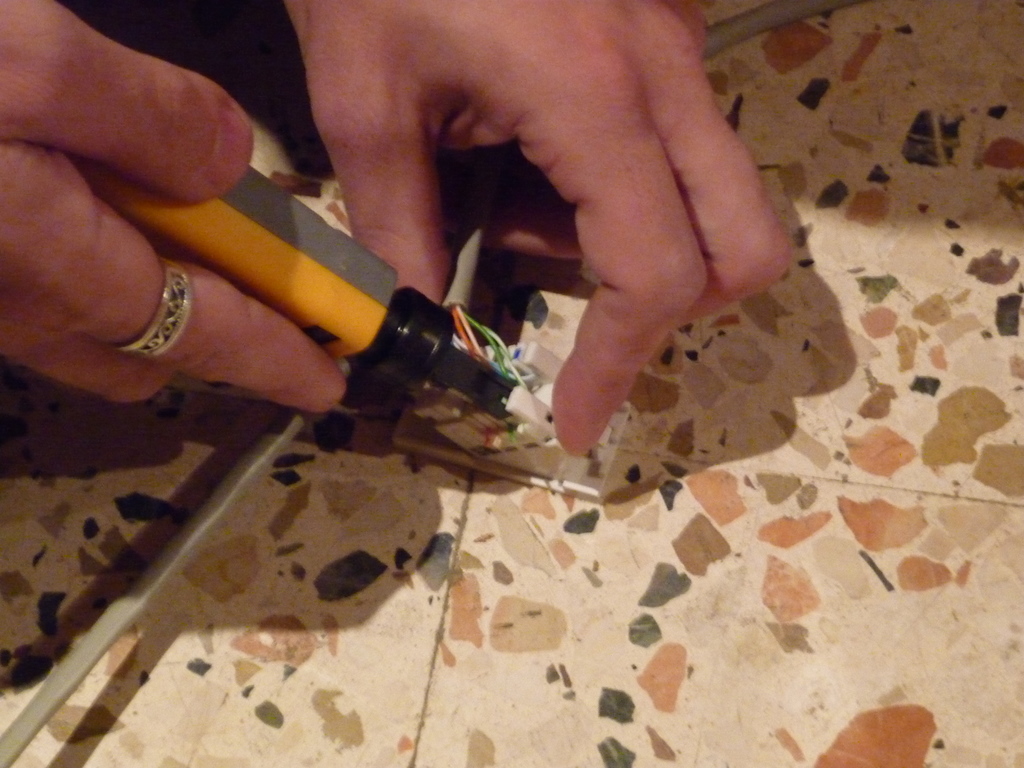
I got to learn a new skill, making network cables from scratch, using this special crimping tools to clamp on the connectors on the Cat5 network cables

In the top pictures I used this punchdown tool to fix wires the back on the network sockets which are carefully hidden behind some pillars.  My colleague Christopher used the laptop to configure the router, but had some similar problems to I had with getting IP address range correct, the router is hidden up above this bamboo ceiling, only visible up there by some faintly flickering lights.   All the technology runs transparently so our senior leadership can do presentations with a minimum of clutter.  Its not finished yet, we ran out of time to get the router settings correct.

App store for free software?

General IT wishful thinking – skip this to next article if you are not an IT person.

Following Apple’s App store for the iPhone got rolled out also for the iPad and imitated for Android and Windows phones, it seems Apple want to adopt the same methods for people buying software for Macs as well.

I personally this is a great idea, some people will still want to buy software that arrives in a box with media and documentation that they can put on a shelf they can get to if support query or a reinstall becomes necessary, but I think it would good to give the customer a choice.   Just like music can be downloaded or its nice to have a tangible item, an actual CD with artists notes, lyrics etc.

Heres an idea, what would happen if the free/open source software movement could have a online software store?

Free software as alternative to popular commercial apps can be got from sites like www.alternativeto.net or www.osalt.com, but instead of downloading an executable file, you have an automated way of doing it using a simple browser plug in.  Why?

There is a quite a bit of usability aspect which is not always factored in on some software.  Some free software, the method of downloading the app can a bit confusing.  Anyone who has downloaded a Linux ISO image knows this, you get taken to an FTP site with a whole load of confusing files, which its not easy to tell which is the download that suits you.

A lot of consumer users don’t free software as they don’t know a lot of exists.  They use Internet Explorer as that was the browser that came with their computer, and they don’t want to change anything as they don’t feel confident to do it.   Joe Consumer may often not know how ZIP or RAR files are handled or what they are for.  As an IT pro I had never heard of Virtualbox, a free virtualisation client as an alternative to VMware and Microsoft’s Virtual PC until a work colleague told me about it.  I have yet to find a really good web site that announces new and exciting developments in free software thats not just geared to coders and developers.   So essentially a typical consumer goes out to a physical shop to buy software as its too confusing working out what software is free and what is a trial version and what comes bundles with spyware and other unwanted rubbish.

I use and recommend Infrarecorder to burn CDs and DVDs on Windows PC rather than the more common commercial Nero burning suite which has got so over complicated and comes with many annoying unwanted extras which have caused crashes and stability problems in previous places I have worked for.   Infrarecorder is great as it does everything you want burning discs easily without any fuss.

You could:

1/ Have a simple way to deploy top quality free software for all type of people, via a portal which makes installing onto your computer in a standard uniform way (Windows/Mac/Linux)

2/ An option to pay some money for software thats normally free but get a support package, ie: printed manuals or training or X number of tickets or hours or professional telephone or email support with a specialist who know a lot about this app.    Or, sell extra tools to deploy apps in a large network environment, like with SMS that rolll out apps silently to each workstation.

A check box would be default only search the free software store for fullly completed release apps, unchecking the box would should beta test versions of software with a usual disclaimer that this software is not production ready yet.

More and more free software is multiple languages as well, a search engine could be customised for all languages or English only.

The software store would only have applications that follow the GNU general public licence for free software,  ie: this means nothing with spyware, bundled toolbars or other tat.   No trial versions commercial applications either.

I think this would give the open source software movement more audience from all kinds of PC users of all platforms, all abilities, consumers and businesses alike.

Fire in the north and in my neighbourhood

After the tragedy that happened in the north of Israel, around Carmel it seems everyone is quite nervous of fire.

I often see people burning garbage around Arab districts, the smoke is visible on the horizon.  Ultra Orthodox Jews sometimes burn green plastic rubbish bins when making a protest about something every now and then, sometimes you can see bits of melted plastic around.

Usual ignorance and hate mean that some of the Arab media enjoy seeing tragedies like this even though the people who died were prison staff going to evacuate prisoners (ie: mostly Arab terrorists) from a jail in the path of fire.

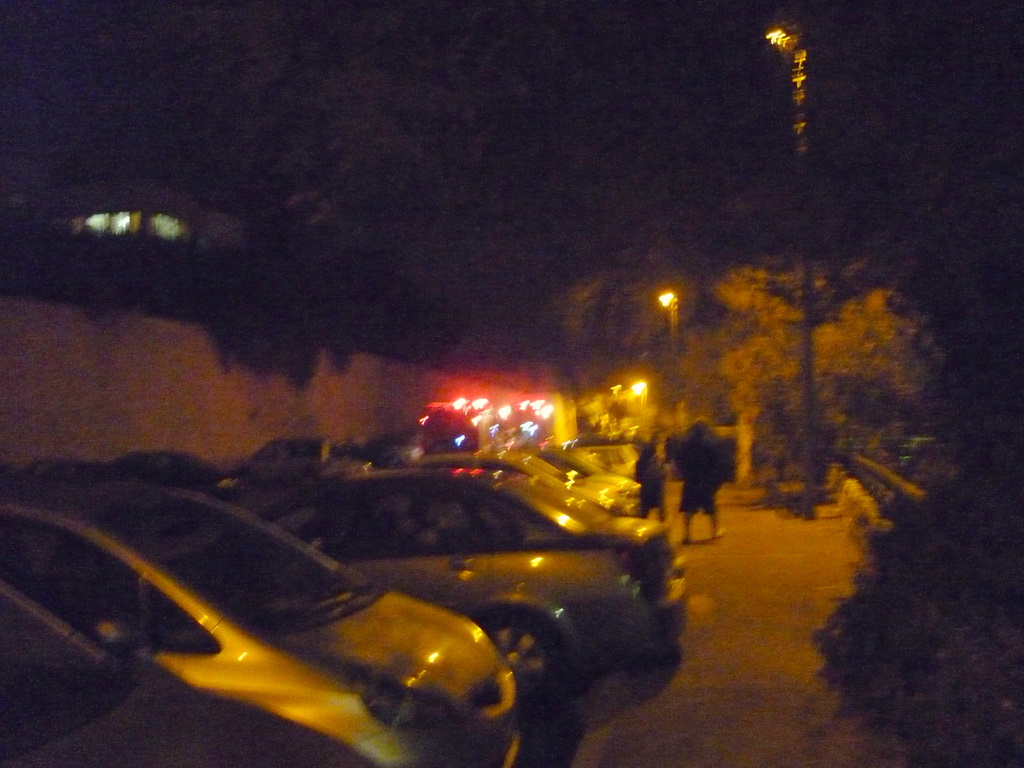
Today coming back home after going to an engagement party of a friend, I heard a fire truck with sirens going (they have red lights in this country)  behind me whilst cycling home.

Then to my horror, they were following me into my street.   It seems the three blocks away from my apartment there was a fire.

There was two normal ‘appliances’ (what the British fire service call them, most other countries just call them fire trucks) and two police cars, and a large crane type fire vehicle as well, only it couldn’t get into the car park due to some bad parking on part of our neighbours.

I was a tiny bit nosey and went to take a look, but it seems there was only a small fire and a basket of some burnt material was taken out of someone’s flat.  I think someone probably just knocked over some Hannukah candles.   It seems probably not much damage was done, however you can imagine how nervous this country is with the events of this week.

I really hope the government can take steps to expand the fire service and improve general health & safety practices around this country.  In my house and almost every other place I have visited I never see smoke alarms, in the UK all new houses have to have them, and with rented property, Landlords have a legal obligation to have the installed.  As candles play a part in Jewish culture it should be extra important to have them here.   Many of the news here in Israel is saying there was not enough fire staff to cope with any kind of big incident.

Please do pray for the fire to stop in the north and that the damage can be repaired soon.   I imagine the charity I work for here will need to help more people who may have lost their homes or businesses due the fire.

Here is a panoramic picture of my dad and his friends when visited the beautiful forest up on the biblical location of Carmel last year.  The rocks are similar to the ones described by Elijah.

Israeli fire service web site is at www.102.co.il (seems to be Internet Explorer only, doesnt work with Firefox, unless you have IE tab 2 extension)

Jerry rigged IT and network bodging

As all IT systems admin people know, all policies, procedures should be documented, and correct stocks of tools, software, spare parts and test equipment should always be on hand.

Some call it bodging, kludging or jerry rigging, I sometimes call it redneck IT.  Just like every other trade, often you find you have to make temporary fixes or make do with some crude repairs to make some workable to get the job done, until budgets and resources allow for a better method.

Actually me and the rest of the team have done a lot of work to avoid spaghetti cabling, PCs that were falling apart and introduce safer and better methods but every now and then, you can may have to use some eccentric ways of working..


1. Power supply kludge. This USB external hard disk had its power supply lost.  I looked everyone to find it, I needed to get some work done in a hurry, so you can reuse a normal ATX PC power supply as a power supply to run anything that needs 5 or 12 volts.  To do this I used a piece of cable with barrel connector off another adapter which was not compatible.  The wires are pushed into these 4 pin disk drive connector.   Next the block connector that normally connects to a motherboard has the black and green pins shorted together with a small piece of wire to act as an on switch.   At the moment I am not using this external drive for anything important, just for backing up the contents of the below Toshiba laptop that belongs to a friend.

2. Tuna fish projector stand. (No picture) Once a month, in our foodbank we have some teaching, music and worship with all the staff and volunteers.   To make the projector display at the right angle, I normally have to grab several tins of tuna underneath to get the projector to display at the correct angle.

3. Reusing Windows licence key. This is my favourite IT bodge of late.  Sawing bits of plastic out of dead computers to reuse Windows licence keys.  This Toshiba laptop belongs to another volunteer and is running Vista, and is doing some odd things which Vista PCs often do and its horribly slow.   I used a recycled Windows XP licence key from another wrecked Toshiba laptop I fished out of a garbage bin last year, this just means a square piece of plastic has to be sawn out of the bottom of the scrap system.   I then tape this onto a CD case and install a genuine copy of Windows XP Pro from the CD in my collection and restore a back up of my friend’s files, along with Open Office and Firefox and some other useful apps.   Everything is much much faster and smoother now.   The recycled licence key works perfect and so does the online genuine advantage checks.   This build took a long time as Toshiba don’t offer XP drivers for this computer and took hours of Google searching to get all the right ones.

The unusual red symbols on the keyboard is because this as a Canadian keyboard and has some French specific keys.   Yes this violates the Windows licence agreement, but you can’t easily buy a new copy of Windows XP anyway.

Bye bye Compaq laptop, you served me nearly 3 years (after being retired from me previous employer) until the video card fried itself.  I have a kind person who is giving me a replacement laptop which needs some minor fixing when I get back to the UK, and most of the remains of my Compaq went to Russia, Greece, Ukraine and Czech Republic via ebay. 🙂

Of course if you have old broken laptops or PCs (in the UK or Israel) which are not worth fixing or going to get thrown out or are just sitting in a cupboard, I can make use of the parts and raise some support for my charity work in the Middle east.   Please message me if you want to help this way.  I can also rescue files off systems that won’t start in most cases and make sure all data is securely wiped.

I saw this picture on a humour site today, which made me laugh.   Reason being we actually we have a server room which is also a converted from a toilet.   It doesn’t have the pan still there, but there are still the tiles though.

What do you do when a once hugely expensive Macintosh G5 tower system at work breaks and a new motherboard costs a bazillion shekels and has to be imported from somewhere?

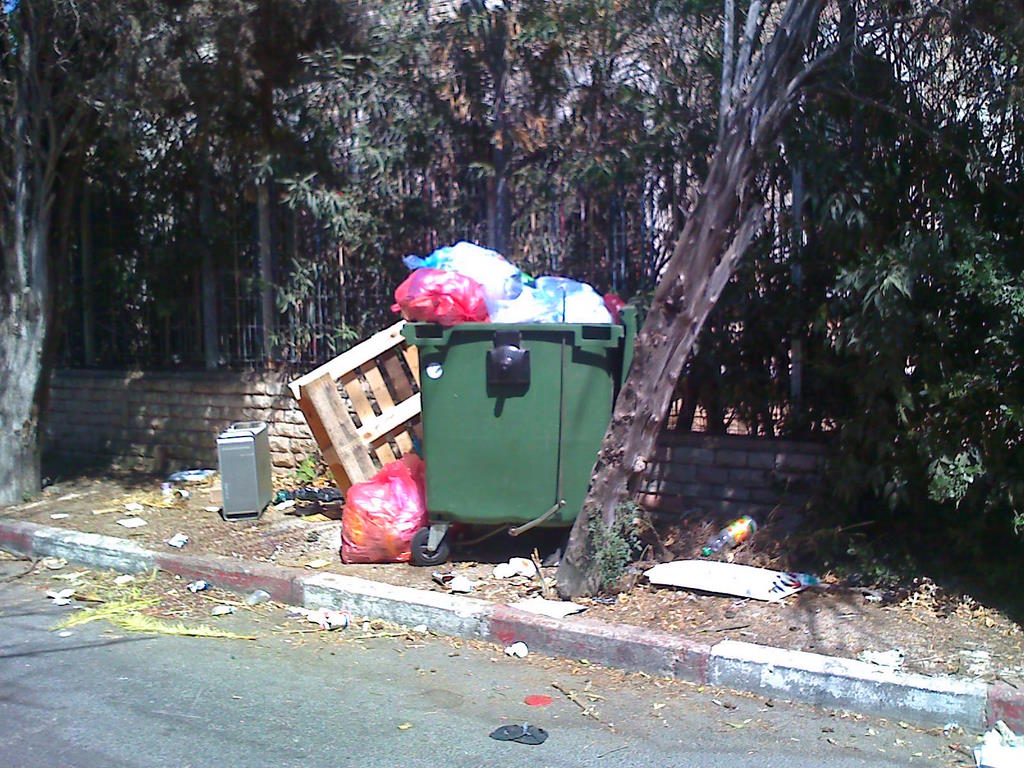
Well, after reusing the memory, hard disk and other pieces I was wondering what to do with it.   You can be completely heretical and build a new PC into the chassis of the Mac like here, but this takes a lot of craftsmanship skill to cut and file the insides to fit.   The shiny, precision made aluminum case is too pretty to throw in a bin, but my boss says it most go.   I decided to put in out on the street with a piece of paper, with ‘Free – please take!’ in the end.  When I went home from work it was gone…..