Power cut in Talpiyot

On wednesday when working at our food bank warehouse in Talpiyot we had a power cut.

Quite sudden, I was working on setting up a server on my work bench which suddenly went off.  It wasn’t running anything important.  A repeated beeping came on from the various UPS (battery back up) units around the building.   One of them I rebuilt myself as the batteries were old and no longer functioning, each of the cells has a life span of 3 years or so.   I am glad I did now.

With multiple circuits around the building, with the sockets labeled for computer use, it seems everything went to plan, apart from the lights going off in my workshop (one of the only rooms with no natural light)  and the video intercom system on the front door.  I had to manually power down the servers and tell everyone to quickly save their work and shut down their PCs.  Meanwhile our giant walk in freezer had its own battery system, so no food that was to be supplied to the poor got spoiled.

After the utility company was called, we were told there could be a wait of 2 hours.  I think the power outage ran for about 45 minutes, this meant the electric water heater built into a water bottle dispenser was still hot enough to get two cups of tea each.   Once the power came back on, I manually powered on four PCs in my workshop and the two servers and all seems to be fine.    Oddly enough, some switches and routers were still blinking away protected with a shoebox sized UPS but we had no internet connection, although I could ping our router.  It seems during the hotter months, more people have their air conditioning on and the electricity supplier may not be able to cope.   It seems all companies I have seen in Israel all have UPSes on PCs and critical equipment, often see them underneath a cash register in a shop.   If this sounds like a big concern, now that I have been here a year, this is the first time I have seen a power cut at one of our offices.

I want to look at means of monitoring our bigger UPS units remotely, we have some APC and some lesser brand units, so I can see sources of problems from my main desk.

Saturday afternoon cycling and robots

When I was a child, I had this dream where I was in a playground and all the other children had run off out of the school, I wasn’t sure what they worried about, I turn around and there is an evil robot coming towards me.  It was a weird nightmare I had a few times…

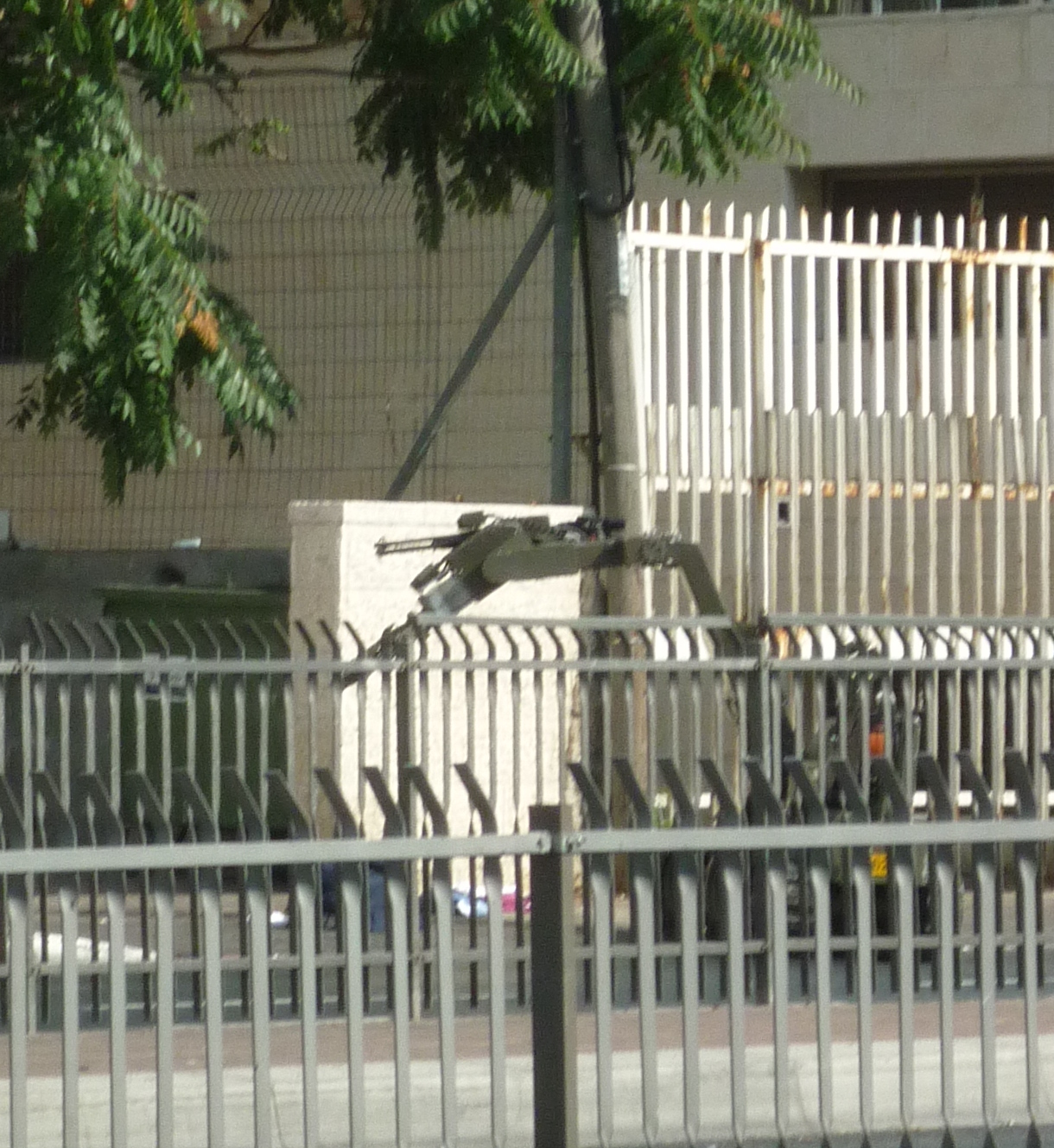
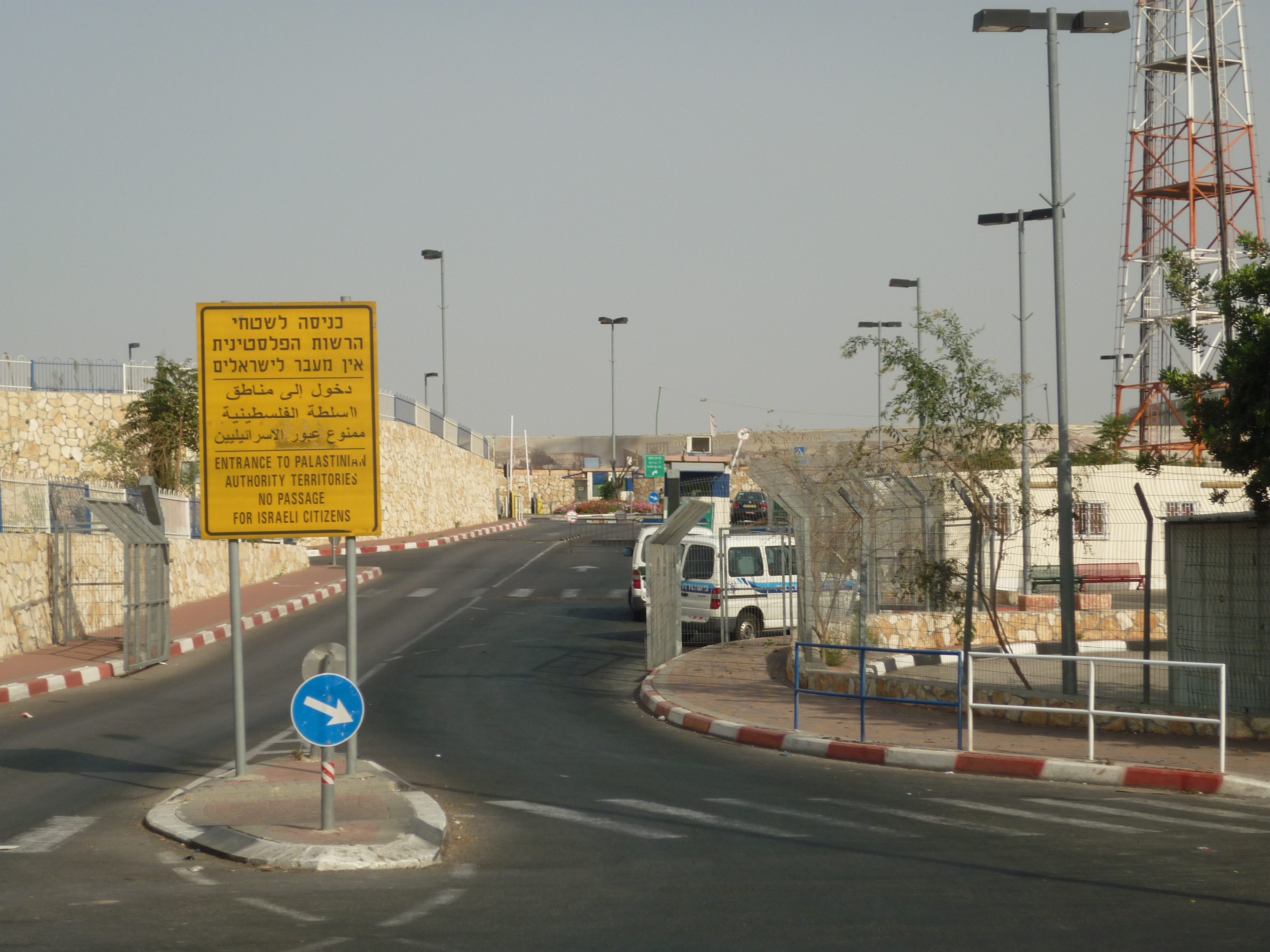
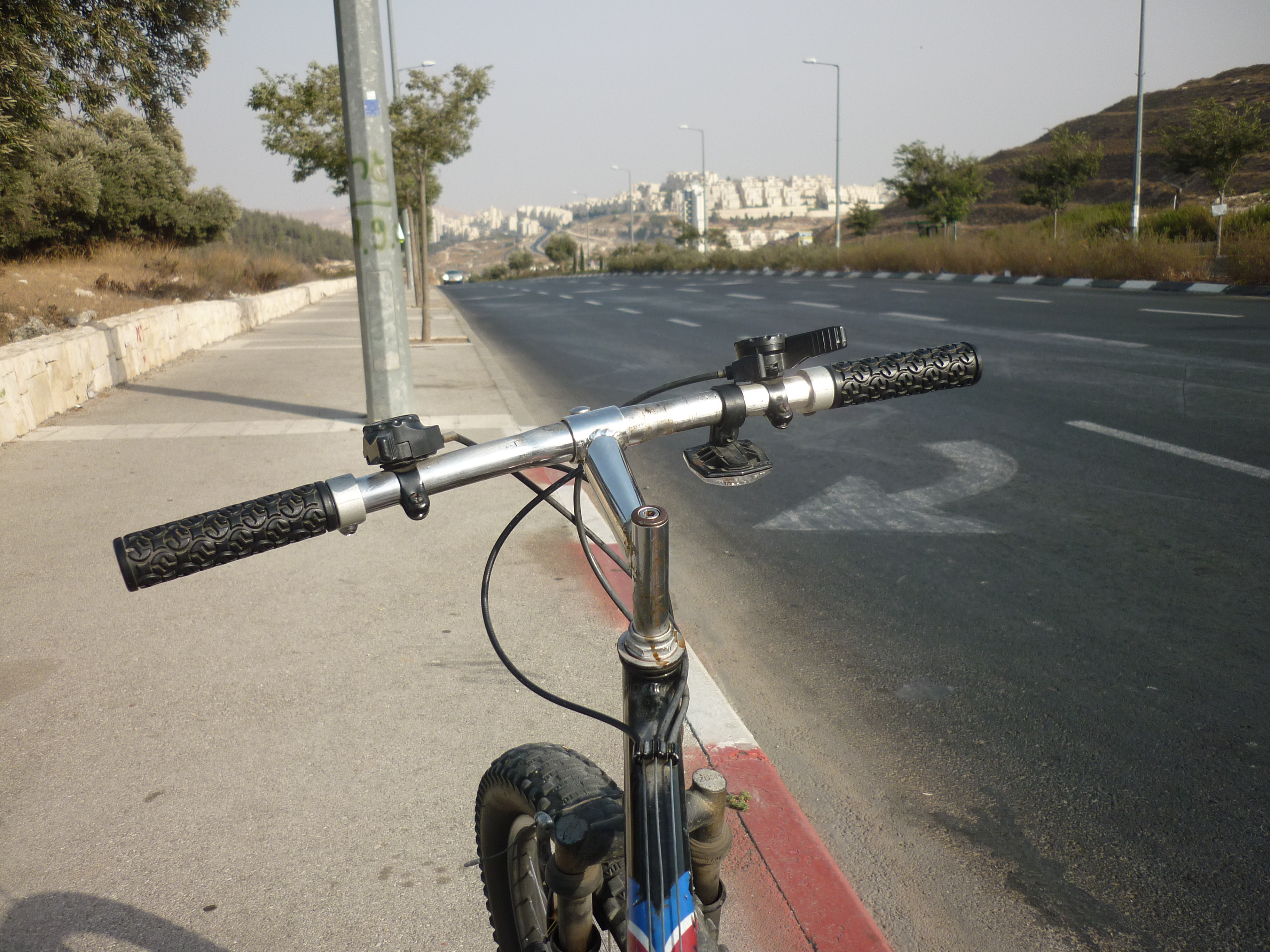
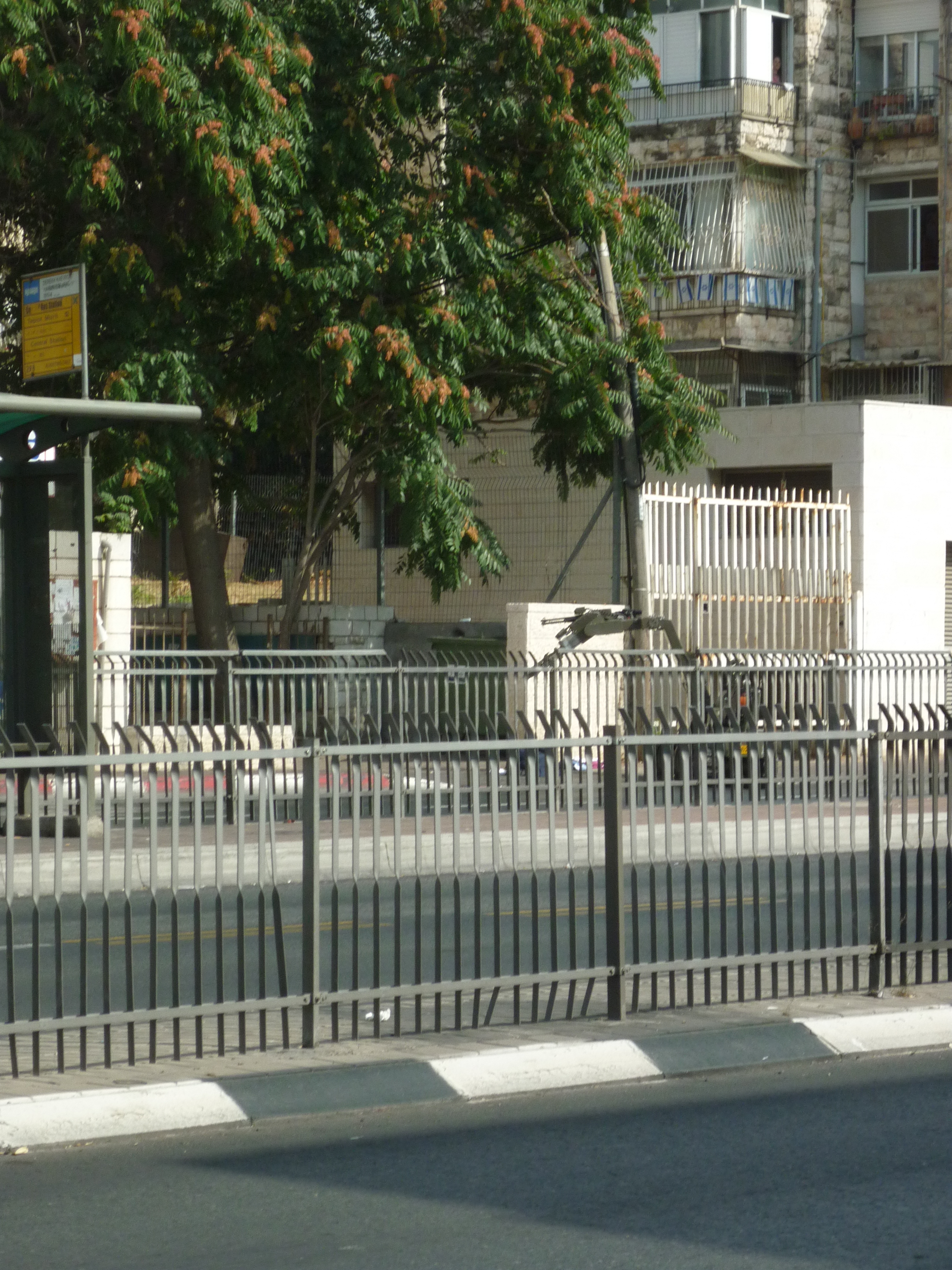
Today I decided to take a ride around my neighbourhood of East Talpiyot in other direction away from Jerusalem city centre.  I head to a convenience store and get a bottle of Fanta and ride back along the main road, towards the food bank which I work there typically one day a week. Anyway I am riding my bike across a junction where there are some traffic lights and I see a policeman stopping a coach and talking to the driver, he doesn’t see me and I ride past him, in the corner of my eye there is a policewoman and a police Ford Focus stopped diagonally at the traffic…    Then someone yells at me STOP three times….  At the same time I hit the brakes when I see what is ahead of me… If you can’t see anything, look closer at the taller white railings.  There is a garbage bin with usual piles of old clothes spilling out like I see on most street corners and about 15 metres ahead is a bomb disposal robot with caterpillar tracks and a single arm is analysing the piles of clothes…. I turn around and head to the opposite side of the road, the police don’t seem to be cross that I didn’t notice this road block. I get some pictures.   The robot is partially concealed by the barriers in the road. Apart from my childhood nightmare turning into a reality, this experience didn’t worry me too much, there are all kinds of circumstances where items abandoned in odd places start a security concern and procedures have to done to see if there is a genuine threat.   Its just I often see piles of rubbish falling out in bins like this. I talk briefly to two men sitting on a bench, its seems quite funny.   I take a detour to another street to go south towards out of Talpiyot. Another 5kms or so down the road, and this is a nice view of a very new housing estate, my maps tell me this is called Homat Shmuel. A little bit further and now I am completely out Jerusalem and I can see the border with the West Bank.

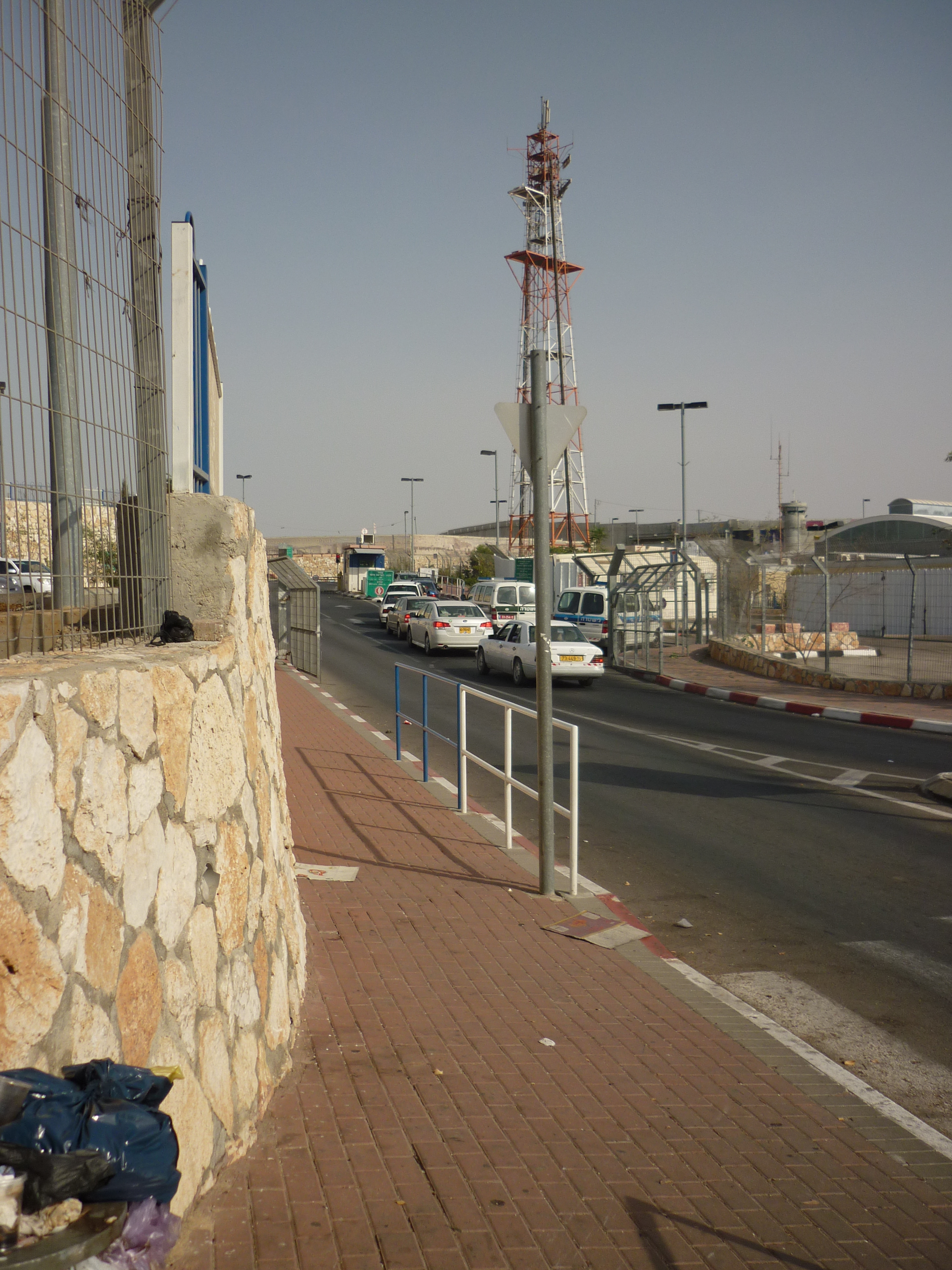
Border controls.  I take a U turn and head back on the main road.

This sign seems interesting.  This is pointing the another biblical place, seemingly named after a king who was famous for killing babies.  This adventure is for another day as I have no water left and ought to get back.

Just before going home, I did see these ruins which look Roman looking, from standing in Derech Hevron Street.

Apostle Paul on twitter

Was thinking the other day, about Twitter the hugely popular way of making a commentary of life events, things in the media and often how celebrities get followed and current news events get shown.  I was perhaps a bit mean with my earlier writings thinking it was a bit naff, but lately I was thinking about someone who told me that maybe the Apostle Paul in the bible was the world’s first blogger, so imagine in Paul was on Twitter too, it would be interesting to see as one of the first followers of Jesus who brought Christianity to the gentiles, travelled around various corners of the Mediterranean and got put in prison a few times, how his tweets would of looked like….

SaulOfTarsius I’m outside the Sanhedrin with my fellow Pharisees.  Today we are stoning some guy called Stephen.  #MyBenjaminTribe #MyRomanHomies

SaulOfTarsius
Feel the urge that I need to do some writing for some reason.
sent via Papyrus

SaulOfTarsius Sorry not been online for a while, crazy week.  Only just got my eyesight back

SaulOfTarsius Had serious meeting with the boss.  Put me straight about some things.  #Salvation #FoundMoshiach

SaulOfTarsius Thanks everyone in coming to my baptism, it was a nice day

SaulOfTarsius PS YHWH told me to change my name from Saul to Paul.

SaulOfTarsius @Ananias, thanks for relaying what I needed to hear.

SaulOfTarsius Follow my new active account at @ApostlePaul

ApostlePaul Now in Damacsus.  Had some help to get there whilst my sight returned #Damasq #Asyria

ApostlePaul Praying with my new friends @SimonPeter and @James #Apostles

ApostlePaul Writing a book, I am going to call it Acts. Got a feeling, it will be one of many.

ApostlePaul Oyvavoy… Has it been ten years I have been speaking the good news in Damascus now?
via carrier pigeon

ApostlePaul @Barnabus thanks for the invite to Shabbat, look forward to helping your congregation in Tarsius.  #Tarsius #Nicetobehome

ApostlePaul Went and rebuked Elymas the sorcerer whilst staying Cyprus.  Also got a Roman soldier following Christ.  #Paphos #Κύπρος #Cyprus

ApostlePaul Leaving Cyprus to go on a mission trip to Asia Minor tomorrow, looking forward to it. #AsiaMinor

ApostlePaul Was a pleasure to stay with you #Lydia G-d bless.

ApostlePaul Myself and @Barnabus are off to Jerusalem meet new Christians #Judea #ישראל

ApostlePaul Spending 18 months working in Corinth with @Silas and @Timothy #Κόρινθος #Greece plan to see Ephesus some point soon.
via Greek post office AD52

ApostlePaul In Jerusalem in prison.  At least I escaped from being killed in the temple.   #depressed #WhatAboutRightsOfRomanCitizens #CaesareaJail

ApostlePaul said to the soldier today ‘is it legal for you to flog a Roman citizen who hasn’t even been found guilty?’ I’ll put that in Acts 22.

ApostlePaul Out of Jail.  Roman bureaucracy takes a long time, its only taken 18 months.. But Governor Felix has let me out today.

ApostlePaul Off to Malta.  The Lord told me this ship really isn’t safe and I dont like the look of those clouds, or how choppy the sea is. 😦

ApostlePaul Ship got wrecked.  Oh well, Maltese people offer unusual kindness though. #Malta

Please note, biblical extracts are very approximate and locations are probably not in chronological order.

July 2010 and IT work in Jerusalem

At work I have been setting up a back up system for all three of our offices as the current system wasn’t working well or flexible for our needs, so I have deployed Cobian (which I really like as its free, open source and easy to configure with support for compression and encryption and reporting) and its crucially important as an IT administrator to be well rehearsed for a worse case scenario.   I am also thinking my job has some different slants, in terms of do IT people prepare for possible war.   One example is if our staff have to go into a bomb shelter (most houses, businesses and public places have one)   how we get announcements of what is happening.   I don’t think mobile phones work in heavy concrete shelters, and neither do laptops or smart phones using wireless internet either.   I have been told the government uses radio announcements for this kind of scenario, but then again I am not sure if they have these repeated in Hebrew, Arabic, English and Russian languages, all widely used here.   I thought one theory would be to put a wireless router (in a locked enclosure, so no unauthorised person can plug in a network cable or tamper with it)  in the shelter in one office, but then again that particular office has a shelter shared between 3 other businesses, so it doesn’t belong to us nor is it possible to drill holes or wire cables through a wall.

This week, there are announcements that significant numbers of Israelis have had details hacked by Turkish hackers see this news story.   Seems to be more common people deface web sites or illegally get personal information as a political statement.   I think I need to think about making sure all our servers and critical systems are fully patched.  Last year I saw a public presentation by the IDF who had an IBM Thinkpad laptop still with XP SP1 (I can tell as Service Pack 2 and later no longer shows the words ‘home’ or ‘professional’ upon booting up.) Microsoft stopped supporting XP without service pack 3 sometime ago now and the update isn’t that difficult, and apart from needing new wireless drivers for sometime laptops there is little possibility for this update to cause a problem, testing would need to be done with specialised apps but I have not seen any real issues.   I merged Service Pack 3 with our CD of our volume licence version of XP (do a google search for ‘slipstreaming’ if you want to learn to do this) so this is done transparently when I do rebuilds of PCs at work, saving me a lot of time.   I don’t think complacent in IT security is any worse here in Israel, as many of my previous employers were years behind on installing service packs, using an outdated web browser or had cut corners on inadequate antivirus apps that were not upto scratch.

If you have done IT administration or know articles for places where people may face danger, do feel free to comment.   I am not interested in anything political, just ideals for sensible practical plans for technology to keep people safe and work in times of uncertainty.

I have tidied up my blog and should get my original domain name back soon, I have removed some people from the links on the side, hope no one is offended, but I got rid of some dead links and blogs that had not been updated in a while.

Firefox 4 first impressions / fix your old extensions to work on newer Firefox

Skip downwards if you don’t want to read geek stuff 🙂

I found out the beta of Firefox 4 came out today so I thought I would try it.

Where as Google’s Chrome is getting more and more popular, Firefox is stil popular choice for domestic web browsing, and contrary to stuffy IT managers I have seen that force everyone to stick to IE6 because of compatibility concerns, despite being dangerously flawed could be negligent to their customer’s data, it can be configured for performance, security and compatibility for any business.  Awkward web based apps that rely on Internet Explorer can be run using the IE Tab extension which makes setting up scripts for just those troublesome sites a breeze.  Generally users take to it and the user interface is close enough to IE for the adapt without too much trouble.  Sometimes I have to explain to users how tabs work but they are normally pretty happy.   The other reason for me why Firefox is king is how the Windows, Linux and Mac versions are similar enough to provide consistency in use and many of the extension work on all three environments, add to that this application is available in numerous languages, and you have a really stellar example how open source software can give you the freedom to make applications work the way you want.

I have to say, the Mozilla do tend to market Firefox like a bunch of hippies in a VW van selling organic soup or something, great but the stuffy IT managers of big businesses are not going to be convinced by it.  They really need an extra separate marketing campaign to get ordinary businesses using it for general browsing, and highlight the dangers of Internet Explorer’s dangerously flawed ActiveX system where uninvited nasties are free to get on a PC even if the user doesn’t have administrator rights nor are on web sites over a dubious nature.  Where as techs like me are always having to reimage PCs messed up by viruses and malware from an outdated browser.

So far I have only had about 2 hours worth of time to test drive Firefox 4, because it is a Beta, a mostly complete prototype not ready for primetime, you will find none of your extensions will work.  If you are a developer or just plain impatient, heres some tricks for you to get up and running.

New features on FF4 (I am doing this without cheating and looking on the web, just from obvious things I can see from the browser installing on my machine)
Aesthetics – the user interface has changed so the tabs are at the top, similar style to Chrome.  Gone are the odd shaped green circular back/forward buttons, and more neater buttons take their place.  Actually the newer animated clock things for waiting for a page to redraw look naff, please bring the 3.6 ones!!
Extensions/Add ons system appears to be completely revamped.
Inspect and Heads up display – seems to be diagnostic tools for developers to see the HTML code that makes up a web browser.
So far that is all I can see, but I expect there’s a lot of fine tuning for performance and stability below the skin.

Of course, as I am support and network administrator guy, I look at things from a different angle that my fellow IT peers who are web developers, so there is plenty of other features I am missing out here.

Running Firefox in commercial environment really is pretty simple and hassle free, security is good and users are warned if security certificates seem inconsistent.   As always I would refrain from rolling out the major updates, so not to break any extensions you may have, but when the browser updates itself from say, 3.6.4 to 3.6.6 as it did for my users, this is always done discretely in the background and doesn’t interfere with users work.  Compare that how horribly clumsy and awkward another application like Adobe Acrobat screams at you to do updates when you just want to view a darn PDF in a hurry.   I don’t know if Firefox can be forced out in a business environment using Active Directory type tools, this would be worth thinking about if anyone in Mozilla is reading this.

Some critics say Firefox is bloated and eats lots of memory, all I can say is that I have installed it on lots of different machines and rarely get into this problem.  Excessive memory consumption is likely to be down to lots of extensions loaded or stuck bits Java or flash residing in memory.  I would recommend you get the excellent free Ccleaner registry clean up tool and run it every now and then.  If your PC is never rebooted and runs 24/7 like a lot of other apps you will run out of memory every now and then.  Heck I was using an ancient 1999 model Toshiba Satellite 4090 laptop until 2007 running Firefox 2 on only 192Mb of RAM and with more than 3 tabs it would choke every now and then and wasn’t fast, but generally Firefox copes with elderly PCs quite well if the machine is properly configured.

Anyway my other talk here was I learnt from a while back how to trick Firefox into making your extensions work if they refused to load as they intended for an older version of Firefox, perhaps the main moan point for me, as third party developers are a bit slow in keeping up with the new versions for this browser.

These are my favourite extensions
IE Tab 2 – renders sites in Internet Explorer, great for poorly maintained web sites written for specific browsers
British English Dictionary – spell checker (works the same as MS Word) that underlines unrecognised words whilst you are writing text on a blog/twitter/facebook/forum or some kind.
Foxytunes – remote control to use iTunes/Windows Media Player/Youtube/VLC player at the bottom of your browser – Note I was surprised to have found out tonight Foxytunes is written by Israeli developers and now owned by Yahoo.
Resurrect pages – Finds cached copies of deleted web pages on a server.  Seen a blog with something interesting but controversial that got taken down?  Normally you can use this to find it again.

Warning, using Beta test software should not be done in a live commercial environment as the software is not fully tested.  Add on the fact I have interfered with the extensions to ‘force’ them to work, that is, remove a compatibility safety feature that will make the browser refuse to load on preventing a possible crash.   I am using standard old Windows XP SP3, but this should be the same for Windows or Linux users with equivalent tools.  Do this at your own risk.

1. Download the required extension you want, but you need to right click and choose ‘save as’ as we want to save it as a normal file with the extension XPI to change something.  Notice here this app is labelled as only compatible with upto version 3.6 of Firefox. (the most newest stable version today July 2010)

2. Once this is done, you then need to drag and drop the XPI file onto Winzip.   I am not a fan of Winzip as its bloated and awkward, but the equivalent apps don’t work so well for this type of job, Winzip isn’t free of course but the trial version is good enough for what we want to do.

3. Drag out one of the files off Winzip which is embedded in the XPI file, one should be called ‘install.rdf’ save this somewhere safe.

4. Next, drag and drop this file into a text editor like Notepad.
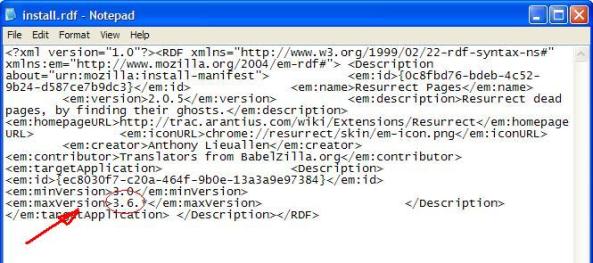
5. This looks like a lot of meaningless script only understandable by a programmer, but where it says ‘max version’ and 3.6.* change this to 4.0.* and then save the file.

6. Put this file back in the Zip file.    This hack XPI extension can now be dragged over onto your Firefox browser main window, and restart the browser when prompted to.

If something goes wrong? Firefox not starting?   If Firefox then crashes, you will have to start it in safe mode [start > all programs > Mozilla Firefox > Firefox (safe mode)]  will get you out of trouble, then disable the last extension you installed.   So far, all of the above four extensions were hacked by me this way and all work fine.

If you are having some problems with a favourite Firefox extension and need some support, I will gladly offer some help and maybe adjust your extension for you, contact me on my normal contact form.   A small donation would appreciated as I am a volunteer IT tech just blogging on IT and places I see at a charity in Israel.
Build your own external USB hard disk

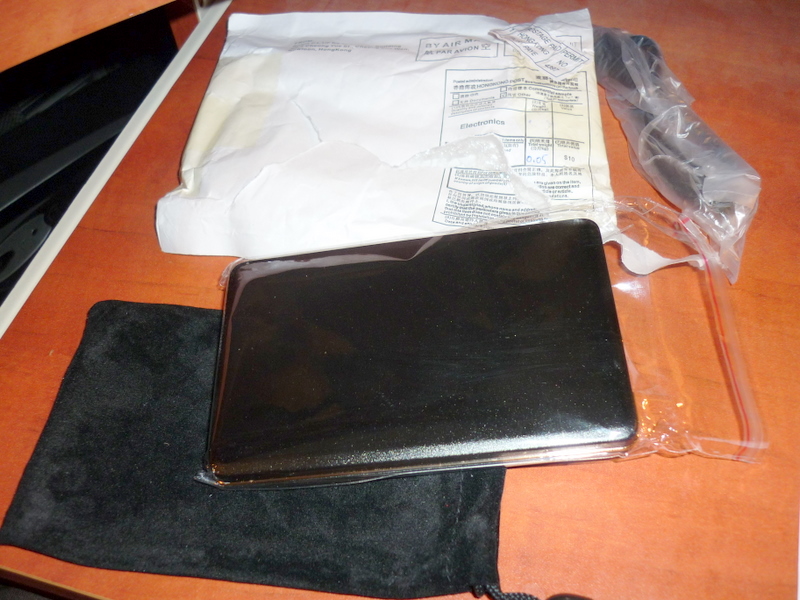
I got this parcel in the post today 🙂  Actually I got three as I ordered some new cables for our projector at work as well.

This item I got off ebay, its a USB external hard disk enclosure, what this means is its an external hard disk without the real hard disk inside.

I upgraded a friend’s laptop from 80gb to 250Gb recently (bought the new drive in the UK and took on the plane with me)  and now the old 80 Gigabyte unit is surplus and I was wondering what to do with it, although its a bit small its still useful for plenty of things.

Hard disks come in about 4 varieties, 3.5 inch (for desktop PCs) and 2.5 inch (for laptops) and also IDE (has two long rows of pins) and SATA (two small slightly different shaped block connectors)  This one is a 2.5″ SATA, this is good as its small and does not need its own power supply.

The USB enclosure I got is like this one.   As it came from Hong Kong directly from the factory, these things are stupidly cheap, 99p plus 1.50 postage.  There are quite a few sellers on ebay that sell small gadgety things (where postage for size of the item is practical) directly from China or Hong Kong, some of them are obviously junk and some are good.  Some are just the OEM (original equipment manufacturer, factory who make stuff on behalf of bigger companies – I have ordered a genuine power supply for an Acer laptop this week)  who can sell stuff for fraction of what you would get from a western retailer.   I would definitely avoid USB memory sticks as there is a ton of fake ones with brand name of good companies like Sandisk or Kingston and these ones I have seen are unreliable.   I decided to take a chance on this, I guess its like an online version of Poundland, except stuff takes about 2 weeks to get here (UK or Israel) from Asia.

Don’t forget if you are an ebay user from the UK (or shop in 100 odd other retailers) make sure you buy via TopCashback which I blogged on before as you can get a little bit of money back later on for free with no commitment.

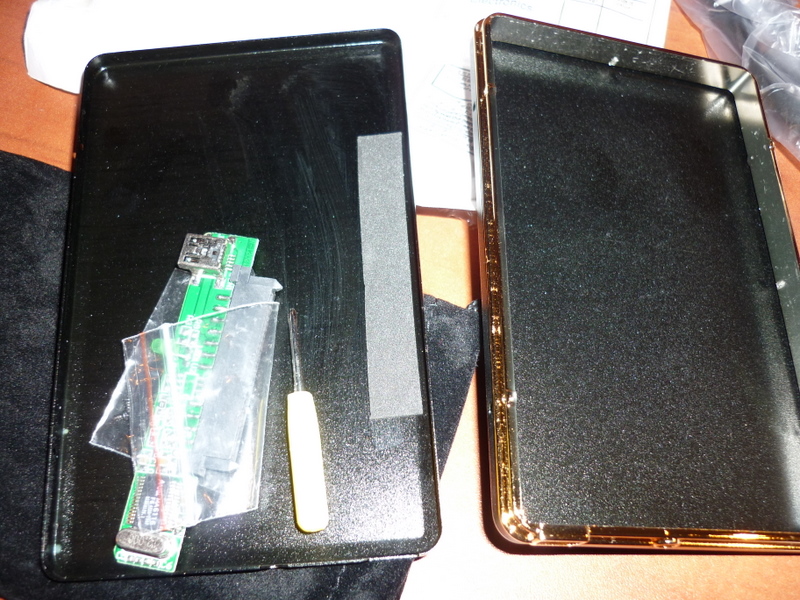
Once opening it up, it even comes with a cable and little drawstring bag – and, fans of flat pack furniture will note a tiny screw driver, and some very tiny spectacle sized philips screws.

So I assembled the Toshiba 80gb drive in the little box, and just needed to snap the slim circuit board on which does the job of converting the signal into regular USB connection.

Once assembled, I plugged it in and tried it out, all working fine, just as good as a ready made unit.

This is quite an easy and fun way of reusing a spare hard disk and easy to do with no real technical knowledge, other than needing to make sure the case is the right size and interface your drive has.

Buying postage online

One way I have provided some funds for my travels here in Israel is to sell some unwanted old computer parts on ebay.  Normally its a lot of effort to package up things, especially as bubblewrap is expensive and finding the right sized boxes for things can be tricky.

Anyway I wrapped a selection of things I wanted to sell, and took some photos of the items before hand so I could list them later.  What I discovered is ebay now have a feature where you can buy postage online with the UK’s Royal Mail.   It works like this, just put in the weight in kilos (slightly confusingly it asks you in Kilos, so remember to write 200gms as 0.2Kgs)  then a neatly printed label with a bar code showing postage is paid for is done ready to put on the package.   The cost is simply deducted from your Paypal account for exact cost of delivery with no extra fee.   You also have to bear in mind if you item is a ‘large letter’  or ‘small packet’ (<2Kgs) or regular parcel.  This is usually done with the plastic letterbox thing on Post Office counters to ensure you pay the correct tariff for the items physical shape as well as weight.  The software is designed by Pitney Bowes, a company that have made weighing and postage systems for decades now.

I think this service has been around for maybe a couple of years now, but have only starting using it at the beginning of this year, as its often a pain to have to spend your whole lunch break at the post office waiting around.

Take buying car tax.   Buying car tax can now only be done at a main post office, and you have to have your MOT certificate and insurance papers to get an expensive circular ticket that says you can drive on Her Majesty’s highways.  Because your car tax runs out at the end of the month, you go to the main city post office and about one twelfth of the motoring population are there as well having to renew their car tax.   Its a bit like astrology (which I think is wrong as a Christian, but thats another story) that there are 12 different types of people.  Which is why its better to simply buy it online now.

But anyways its really handy being about to send small packages without waiting in the post office.  Print label, stick it on and shove it through the letter box.

Also this service can be made even more easier for me, here in Israel by using a simple PDF creation app.  I like DoPDF, its free and makes a printer driver, so you print from any app to this as if it was a printer and instead it makes a PDF file.   So where as the Royal Mail insists you print the label out there and then, you can simply print to PDF, and I email it as an attachment to family at home to print out and stick on.

Where as I haven’t checked with the Royal Mail’s terms and conditions online to see if this is totally ok with them (the label should be fixed on the package and sent off in about 24-48 hours) – This nice set up surely has the potential for businesses to do ‘drop shipping‘ – buying goods and reselling them to someone else without have the goods on your premises.  Would be interesting to see who is already using this.

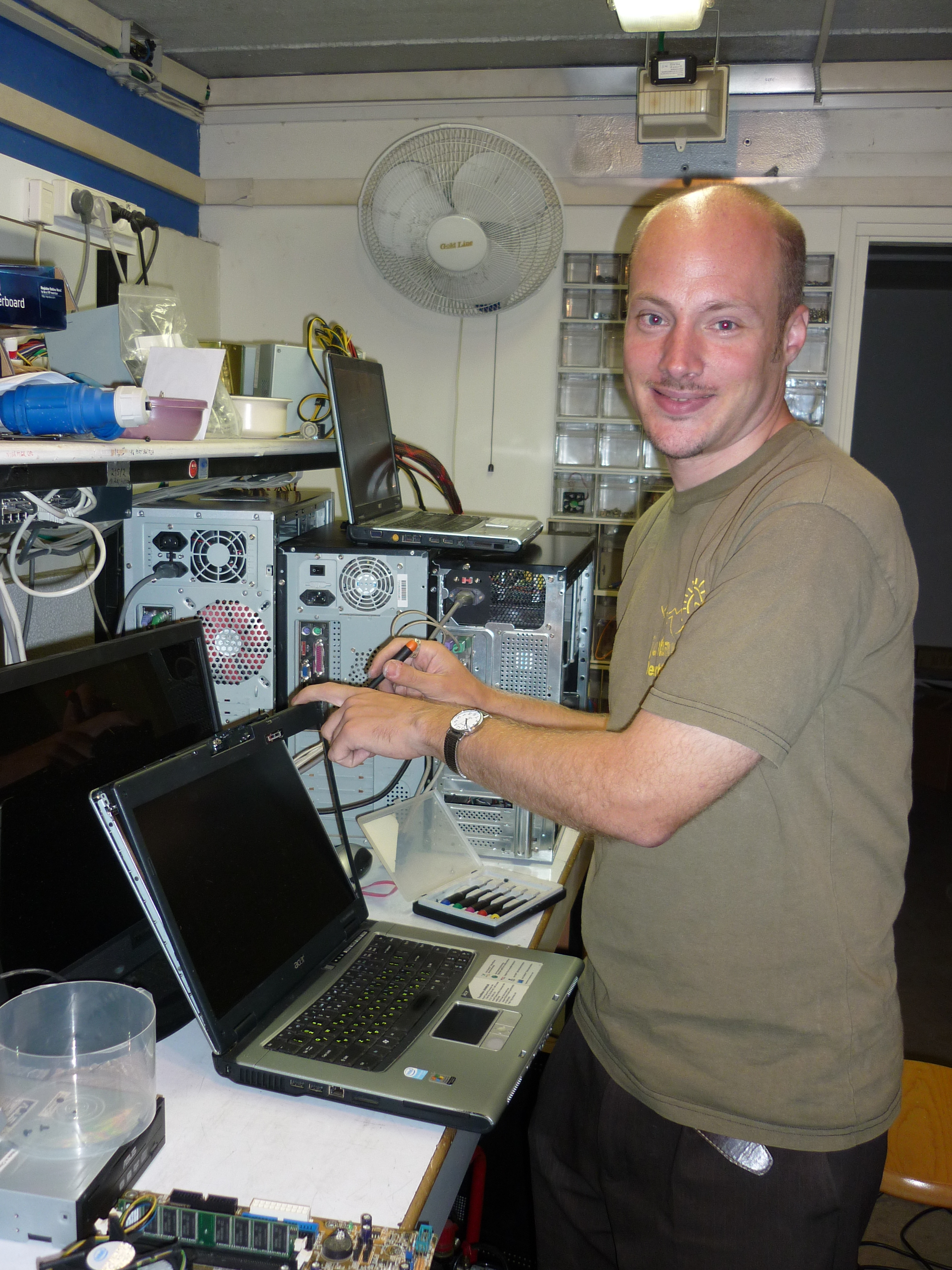
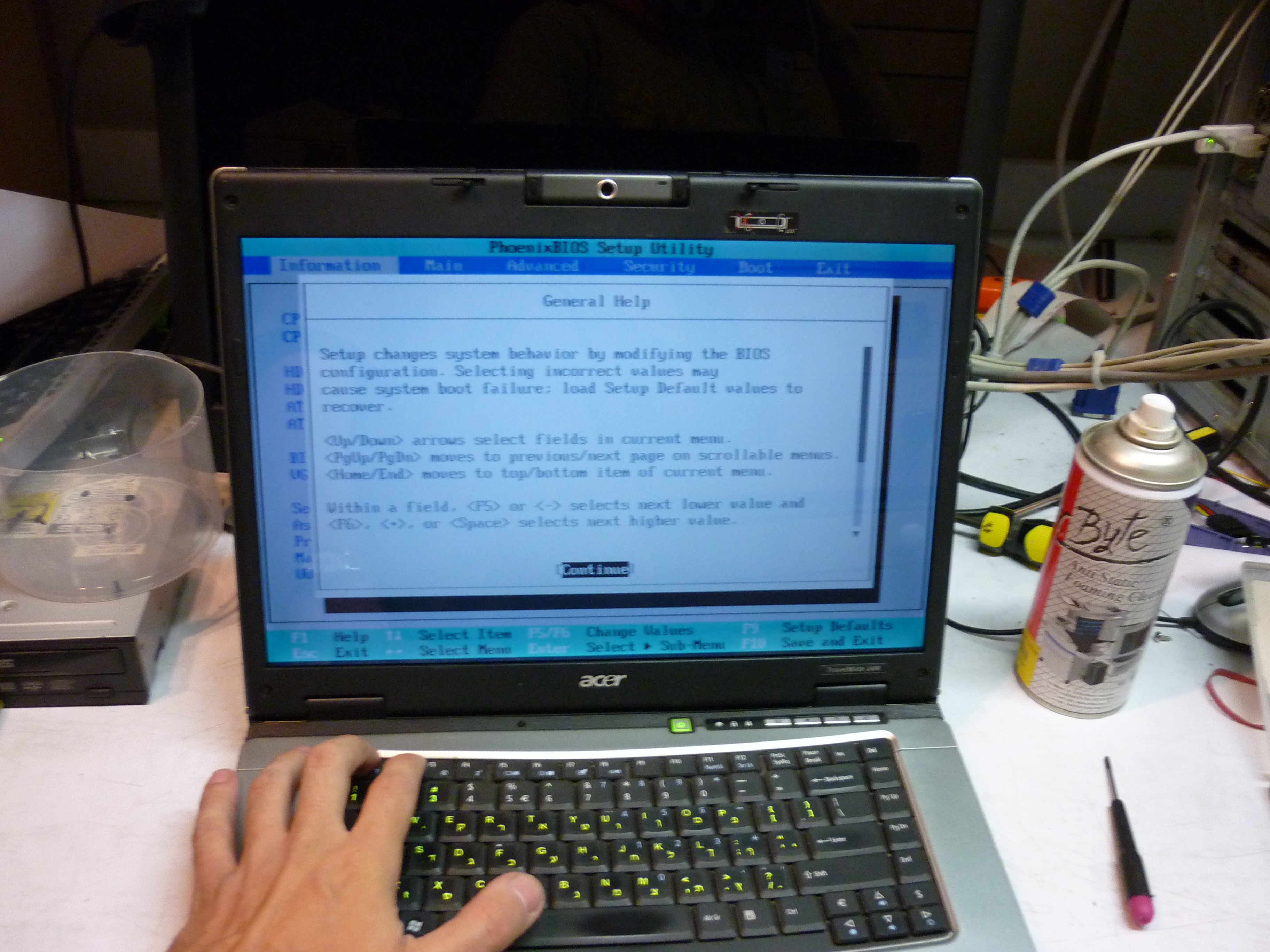
At work, the Talpiyot food bank team, replacing LCD screen on Acer Travelmate laptop

Work has been busy this week, actually I am not often not busy, but had some trouble with a PC that sits in the Talpiyot food bank that is supposed to back up everything off servers, this essential running box was showed as off on my Spiceworks console, and after I went over and replaced the power supply, the next day it did it again.  The PC had to be replaced and took good few hours to get it running the same.

Talking of such, its been very very hot in Jerusalem, temperatures have been up to 37c (thats 100F)  so cycling 4 miles to the office in scorching heat is pretty tiring!

Other things I had to do with to set up new members of staff, get a Russian speaking colleague who is based in Karmiel access to a database, he works with immigrants from Russia and ex-Soviet states who live in the north.

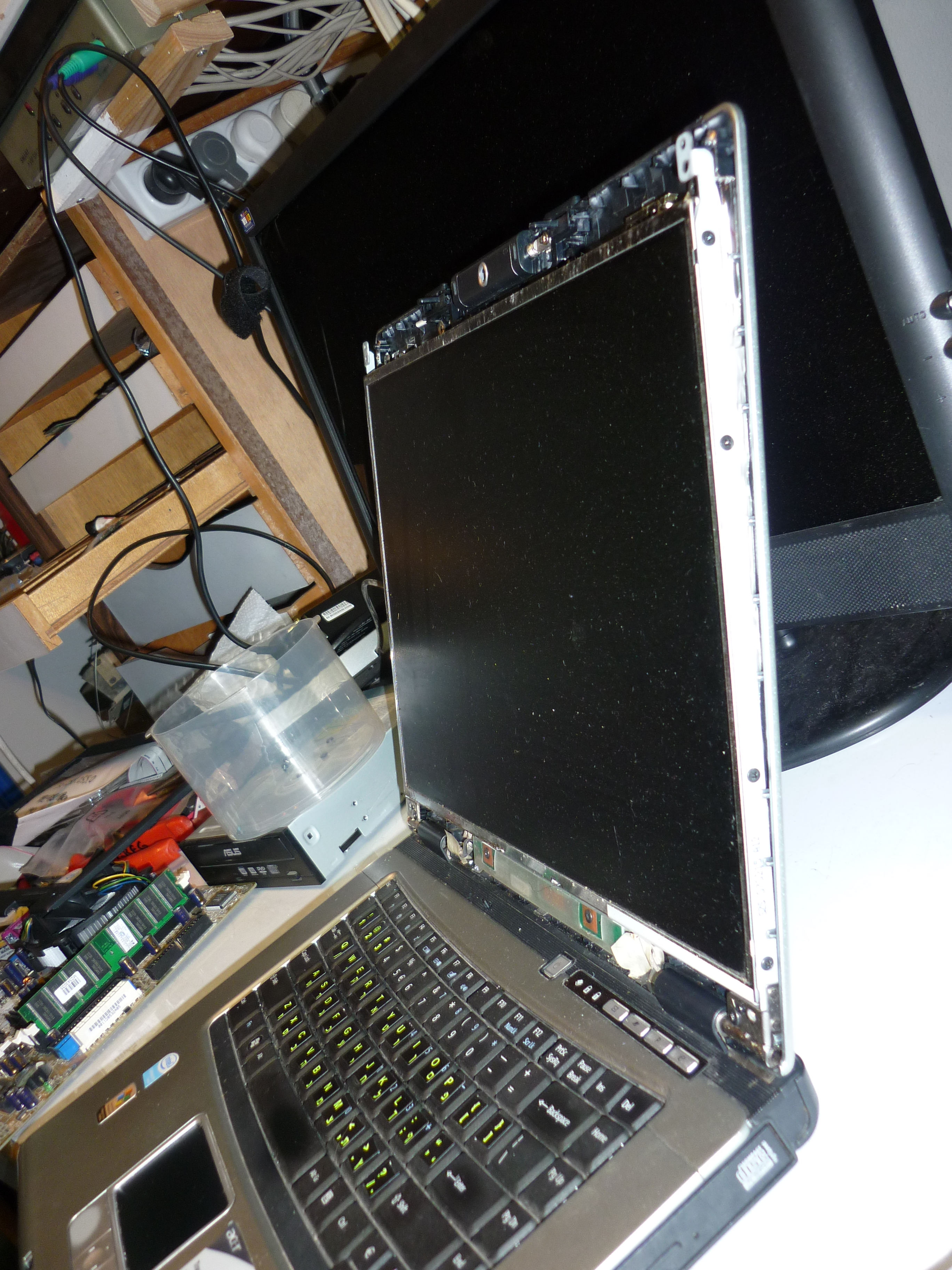
But as well as this I managed to put a new screen in a friend’s (ie: not one my work’s assets) laptop.  This Acer Travelmate laptop had liquid that got in the LCD from an accident with some olive oil, great for your health but not for laptops, the screen works just has some weird blobs in between the layers of thin plastic inside the screen, this would eventually cause the LCD to fail altogether as they are fragile.   When I went back to the UK I ordered a new LCD display and carried it in a box on the plane, so I was a little nervous that this part was all right, it cost me UK£70 ($100) from a specialist laptop spares company in the UK….

Out come the little rubber pads on the screen fascia.  Then take out all four screws.  Gently prise and flex the screen fascia out, the old LCD is freed from taking out 4 tiny screws from the long steel hinges that give the top section rigidity and also double up as antennae for the wireless card, then the screen can put flat down has the ribbon cable disconnected and two little wires from the inverter that supplies voltage to the screen.  The new screen is put in its place and I put the screws in loosely and tighten them up one at a time, as it needs to be jiggled a bit into place….

Hooray it works!!!  The volunteer who asked me to fix this gave me a bit of extra money which paid for my Dead Sea trip before I went away, so it was a blessing I could get this fixed for her, and she could provide me with means to do some exploring I did with friends at a weekend a month ago.

The IT workshop has three desks and half a dozen PCs as this room has our database expert (Gilad) sat here, we also had Shirley our American-Chinese IT specialist who took care of a lot of problems at this site, but she has left now (we miss you, come back soon!!) and there is a bench with lot of stuff in pieces to be rebuilt and put back into service.  At my main desk in headquarters I just have one PC and few spare parts and a server room I look after…

There is another Acer on the pile of PCs in the background, this has a full hard disk and need some software tweaking to fix it. (change data around the two partitions on it)   I am going to order a new power supply for this as the one the volunteer as its a bit unreliable and held together with tape.

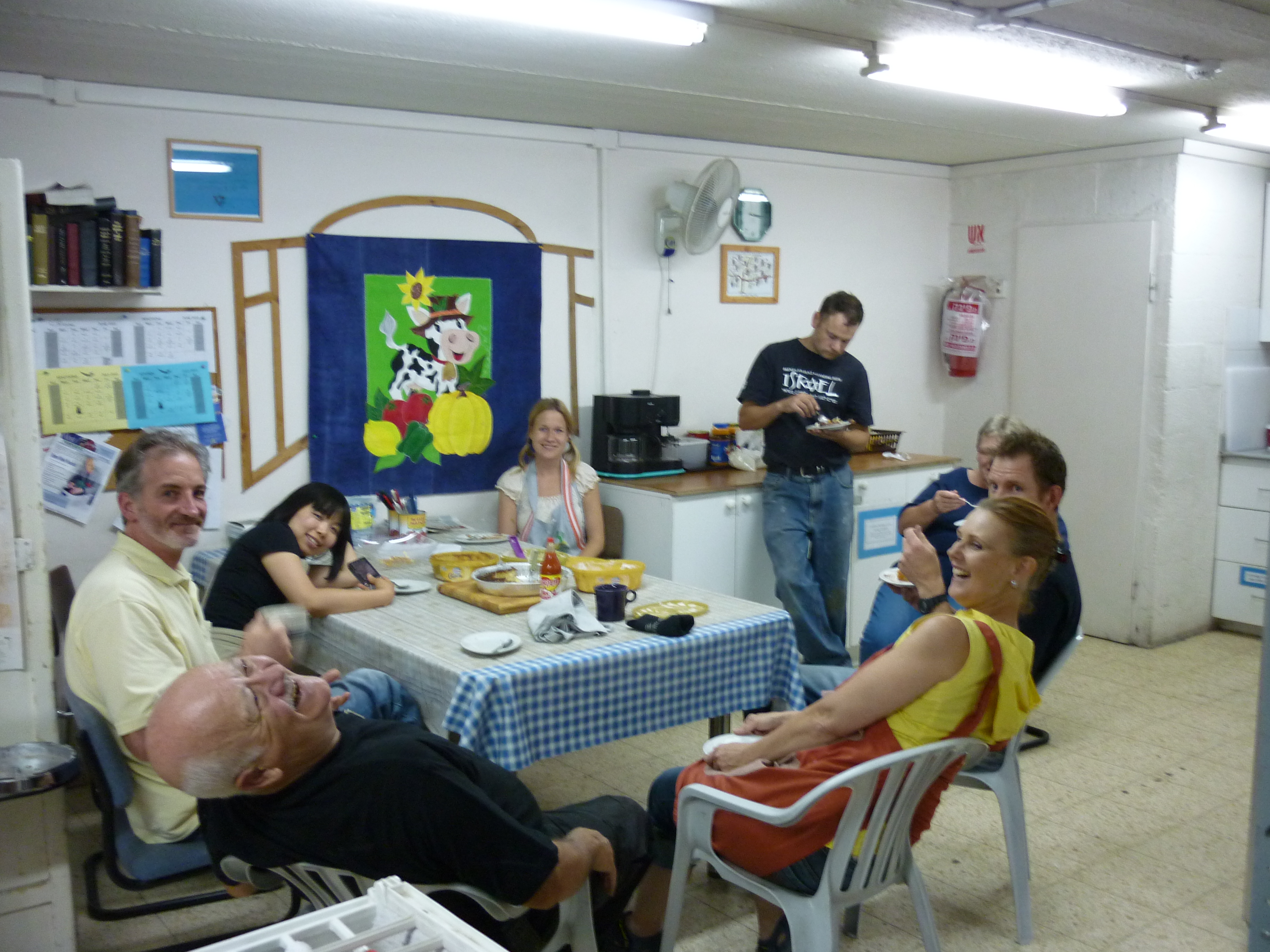
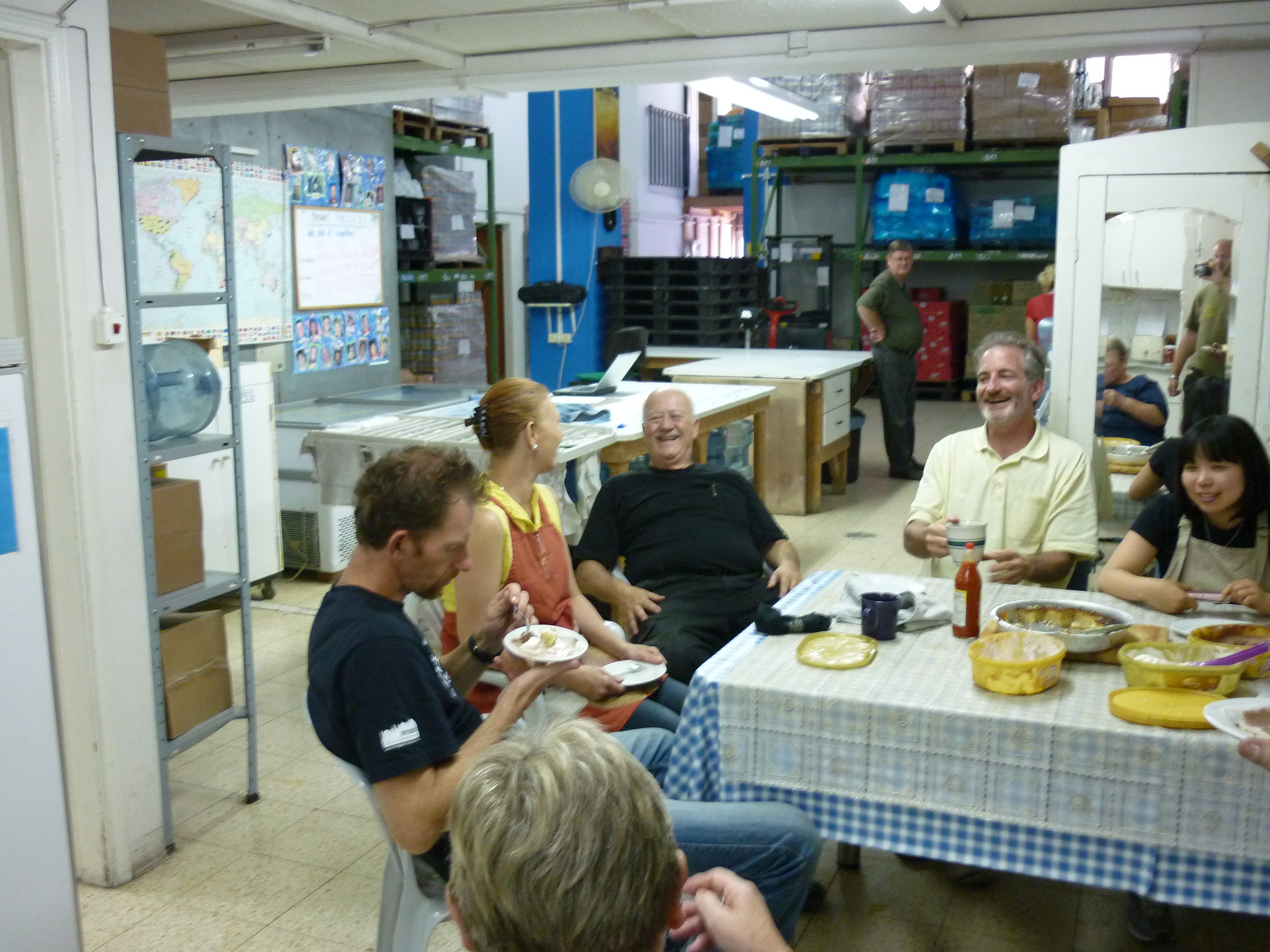
The food bank floor team are having a bit of cake and ice cream after lunch (why I look forward to site visits there)  but don’t let this deceive you, this team work very hard hauling food onto pallets, several tons a day that are shipped to some of the most poorest and needy Jewish people in Jerusalem.  People do come and go fairly often, as people come to the end of their commitment is always sad.   Here you can see these pictures shows staff ranges from the US, South Africa, Japan and Finland.   We have had people here from every continent.

Overall this week has been extra busy, but got most things done I needed to do and it has been fun.

Potato batteries

You have probably heard of lemons being used to run simple digital watches back in 1980s, fun but probably no real life use for citrus fruits as means to run gadgets.

But today in seems vegetables have uses instead, this time for lighting (LED technologies have massively get better in last couple of years)

Perfect for developing nations where batteries are scarce and expensive, not to mention poisonous at the end of the lifespan, and yes its those darned clever Israelis again that came up with the idea of using the humble spud.

http://www.engadget.com/2010/06/20/yissum-develops-potato-powered-batteries-for-the-developing-worl/

The article doesn’t say when your potatoes need to be changed, or if when they grow shoots if that affects their performance though.  Imagine this conversation one day:  “Hello, yeah, er I can I call you back in a couple of hours, phone battery is dying and I need to get a kilo of King Edwards from the market, speak at 9pm mate, bye”

Updated donations page

Just added a new link on the right hand side called Donate / costs.

From there you can make a donation to me or look at my living costs and what I need to live on to be able volunteer in Jerusalem.

On there check out the bottom tabs marked ‘Main / Figures’

I live on about £500 a month, everything else is out of my pocket, I am urgently needing to get sponsorship or donations of any kind, as I am struggling way below the amounts I was hoping to get.

All donations will be listed on there, and I will give an email of thanks.  I will list each one anonymously unless you want to tell me your name.  Of course I am very happy mention your business or organisation if you like.  Or maybe I could wear a Tshirt with some kind of advert of your business (something not political) when I am out and about perhaps.

thank you / תודה רבה (toder b’vukasha)